
Laptop battery एक rechargeable power source होती है जो laptop को बिना AC power के चलने देती है। Technician के लिए इसके types, working, faults और repair methods को समझना बहुत ज़रूरी है।
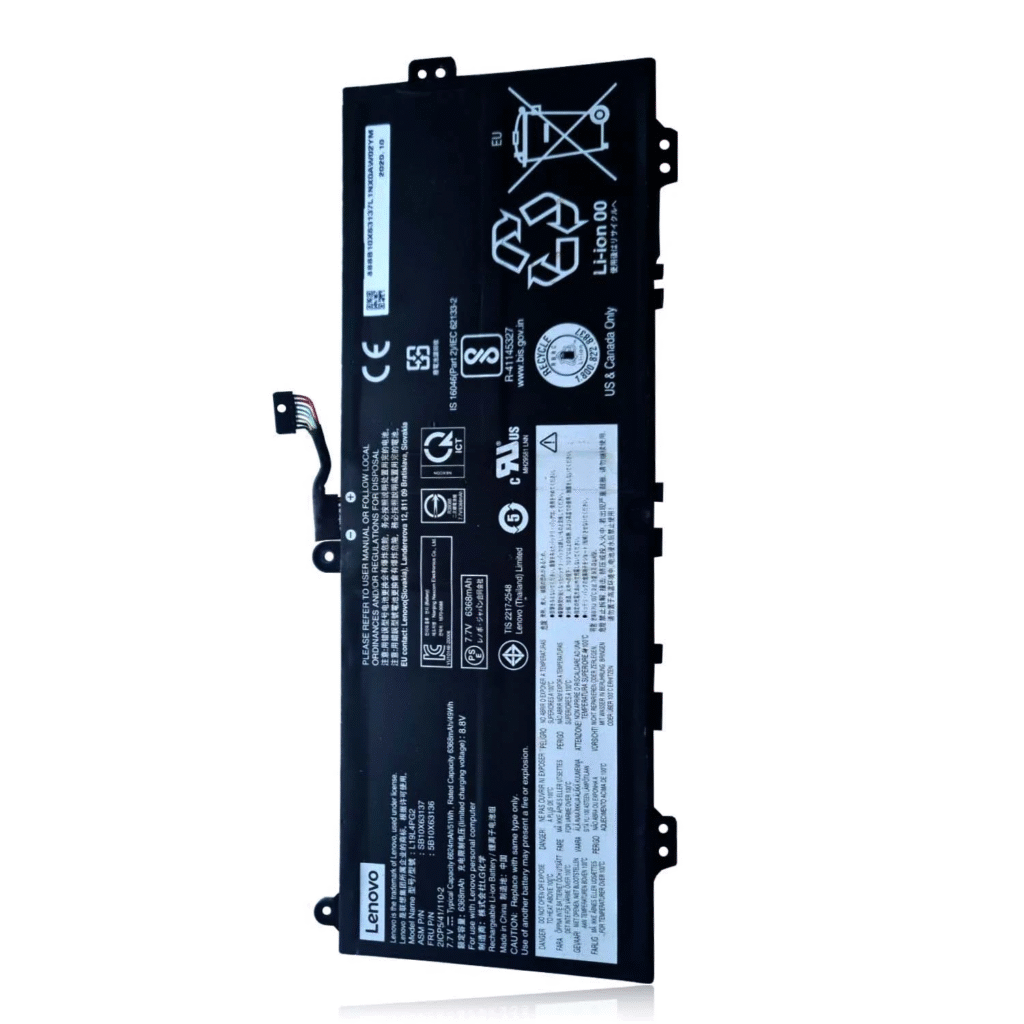
1. Laptop Battery Basics
| Feature | Details |
| Type | Lithium-ion (Li-ion) या Lithium-Polymer (Li-Po) |
| Voltage | आमतौर पर 10.8V / 11.1V / 14.8V (3–4 cells in series) |
| Capacity | mAh या Wh में मापा जाता है (जैसे 4400mAh, 48Wh) |
| BMS (Battery Management System) | Charging, discharging, safety control करता है और laptop से SMBus/I²C protocol के ज़रिए communicate करता है |
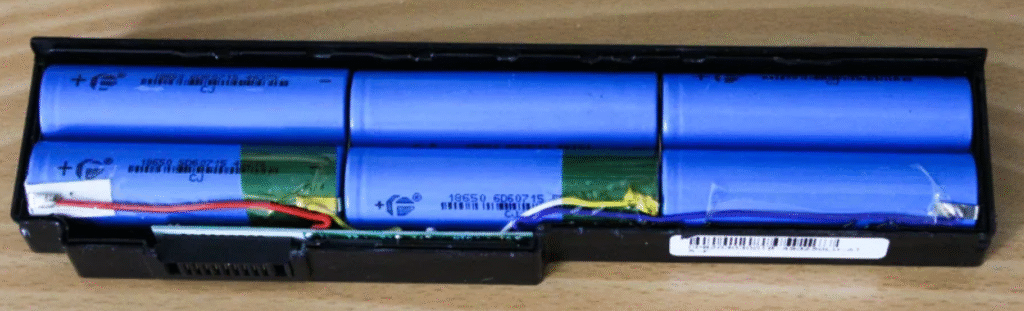
2. Main Components of a Laptop Battery

- Battery Cells → Cylindrical 18650 Li-ion या flat Li-Po cells → हर cell का nominal voltage ~3.7V होता है
- BMS/PCB (Battery Management System) → Overcharge, over-discharge और short circuit से protection → Laptop को battery percentage की जानकारी भेजता है
- Temperature Sensors → Charging के दौरान overheating से बचाते हैं
- Connectors → Power output और communication के लिए pins
3. Common Laptop Battery Problems
| समस्या | कारण |
| Battery charge नहीं हो रही | Dead cells या faulty BMS |
| Laptop battery पर बंद हो जाता है | Weak cells की वजह से voltage drop |
| Battery percentage stuck है | Calibration issue या bad BMS |
| Battery गर्म हो रही है | Internal short या overcharging |
| “No Battery” दिखा रहा है | Disconnected या dead BMS |
4. Repair or Rebuild Process
Step 1: Initial Checks
- Multimeter से battery connector पर voltage चेक करें → 3-cell pack के लिए 10.8V–12.6V normal है → अगर <9V है तो cells dead हो सकते हैं।
- Windows में battery health चेक करें: → powercfg /batteryreport → अगर health <50% है तो replacement ज़रूरी हो सकता है।
Step 2: Open and Inspect
- Plastic casing को carefully खोलें।
- Check करें: → Swollen या leaking cells → Burn marks on BMS PCB → Broken connectors
Step 3: Cell Testing
- हर cell को अलग करके individually measure करें → Healthy cell: 3.6V–4.2V → <2.5V = dead या recharge के लिए risky → Dead cells को same capacity और type से replace करें
Step 4: Rebuild and Balance
- Faulty cells को series-parallel configuration में replace करें।
- सभी new cells same brand, voltage और capacity के होने चाहिए।
- Spot-weld या carefully solder करें।
- Cells को BMS board से reconnect करें।
Step 5: BMS Reset / Calibration
- कुछ batteries को EEPROM reset की ज़रूरत होती है ताकि new cells recognize हों।
- Tools: Battery EEPROM Works, SMBus reset tools
- Calibration method: → Full charge → Full discharge → फिर से full charge
5. Safety Tips
- Li-ion cells को short मत करें → Fire hazard
- Direct soldering से बचें → Spot welding बेहतर है।
- Old और new cells को mix मत करें।
- Casing बंद करने से पहले voltage और current ज़रूर test करें।
6. When to Replace Instead of Repair
- Cells swollen या leaking हैं।
- BMS burnt या locked है और reset नहीं हो सकता।
- Replacement cost rebuild से सस्ता है।