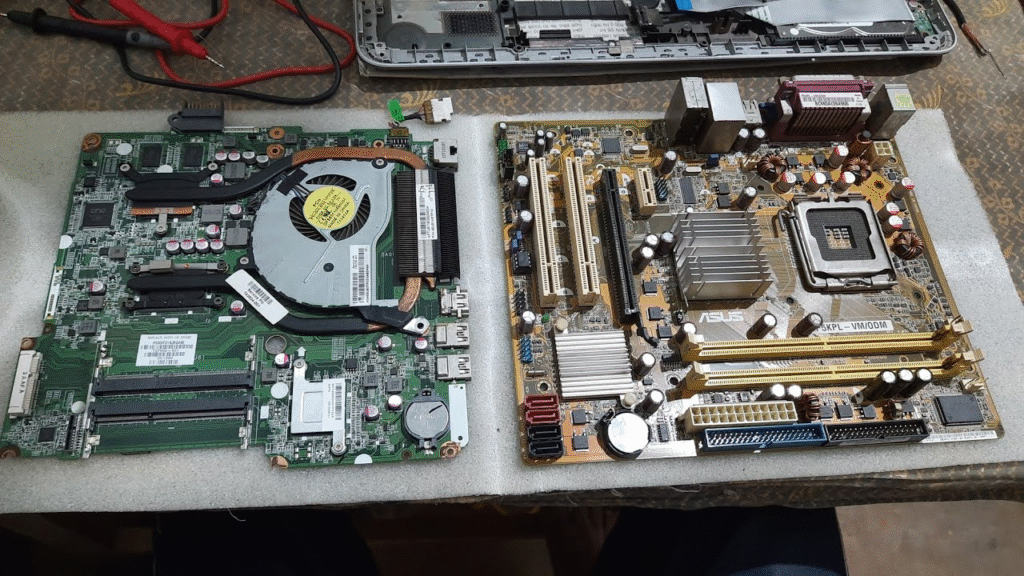
Motherboard Computer का सबसे Main Part होता है, जिसके द्वारा हम इससे Related Devices को Connect करके एक Complete System का रूप देते हैं।
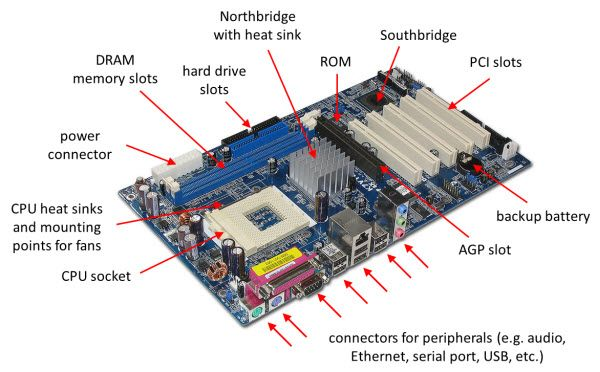
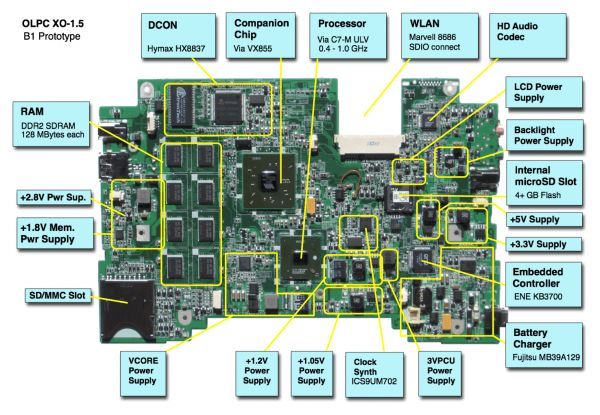
Motherboard के ऊपर Devices के लिए Socket अतः Connector बने होते हैं, जिसमे इन Devices को Connect करके काम किया जाता है।
यह एक ऐसा Pcb जिसने बहुत सारे Components, Socket, Slot,.Connector, Ports Etc. दिए होते है। Computer में प्रयोग होने वाले सारे Device किसी न किसी रूप में इससे जुड़े होते है। इसे हम Back Bown Of Computer भी कह सकते है।
Mother Board के अलग-अलग Series एवं Speed होते है। जिसके कारण उसकी Supporting भी अलग-अलग होती है। जिससे हमलोग Mother Board के अनुसार Ram, Processor, Etc लगाते है।
Mother Board बनाने वाली कई Company है जिसमें से कई Branded Company And Local Company है।
Architecture Of Mother Board(M.B)
1.Hub Architecture M.B
2.PCH Architecture M.B (Plateform Control Hub)
3.SOC Architecture M.B (System On A Chip)
4.GMCH Architecture M.B (Graphic Memory Control Hub)
5.ICH (Interface Control Hub)
GMCH Architecture M.B – (Graphic Memory Control Hub)
PCH Architecture M.B – (Platform Control Hub)
SOC Architectural M.B – (System On A Chip)
HUB
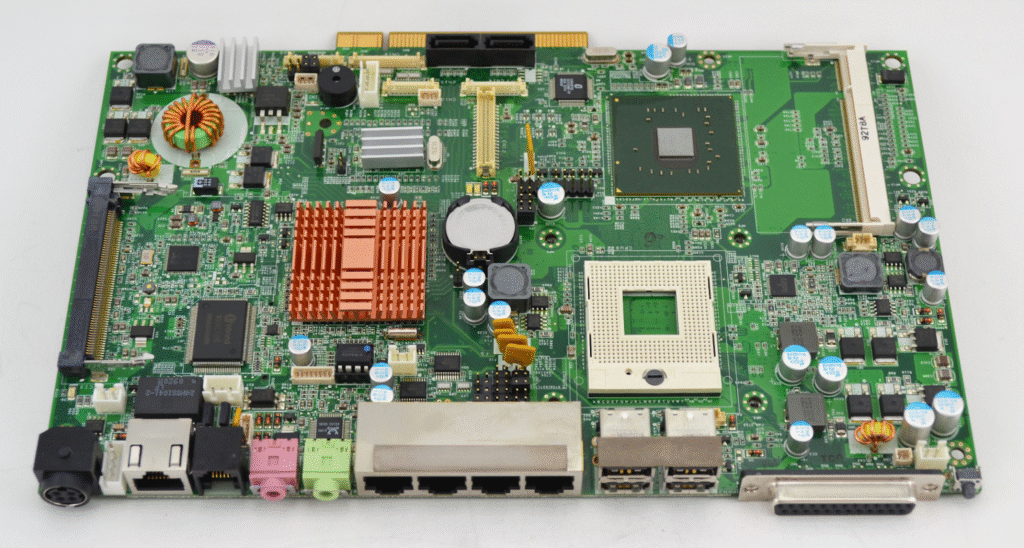
वैसा Mother Board जिसपे Processor, North Bridge Ic, South Bridge Ic तीनो अलग-अलग दिये हुए हो Hub Architecture Motherboard कहलाता है।
PCH
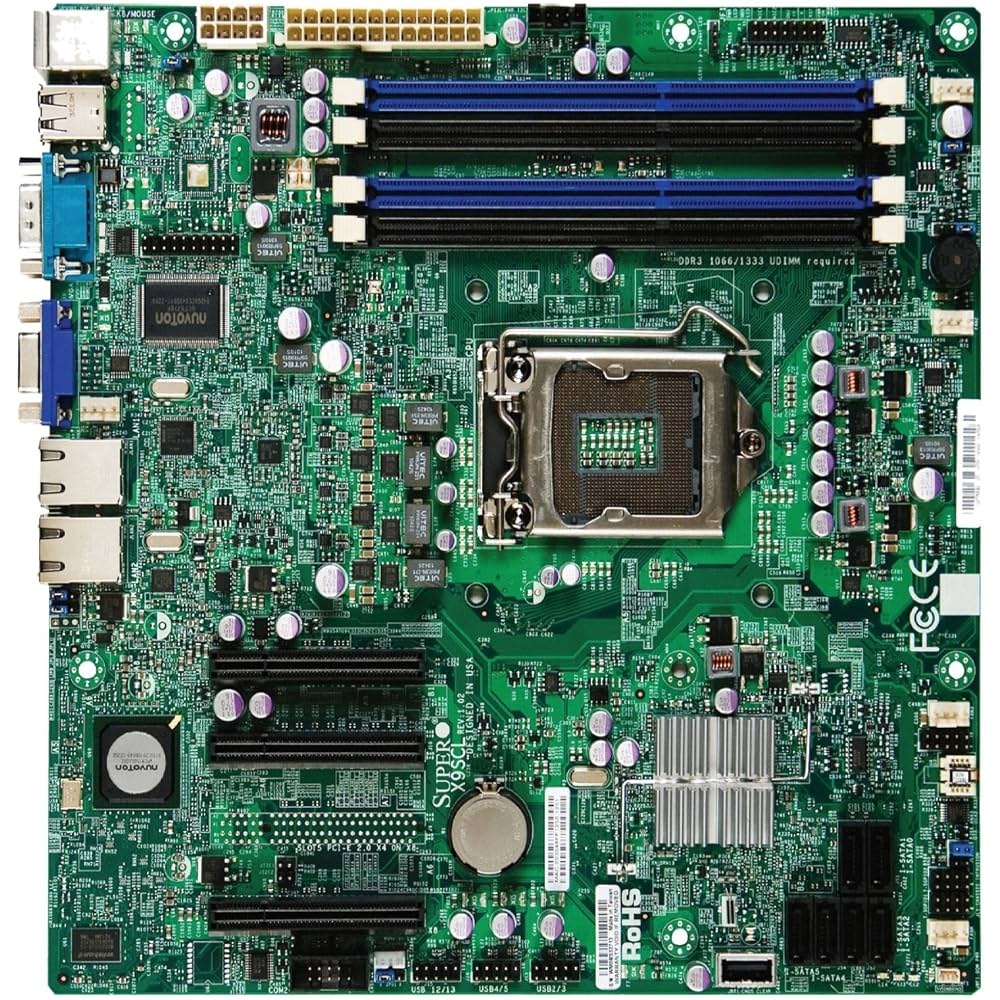
वैसा Mother Board जिसपे Processor अलग हो, North Bridge Ic और South Bridge Ic दोनो के लिए एक Common Ic रहता है वह Pch Architecture Motherboard कहलाता है।
SOC
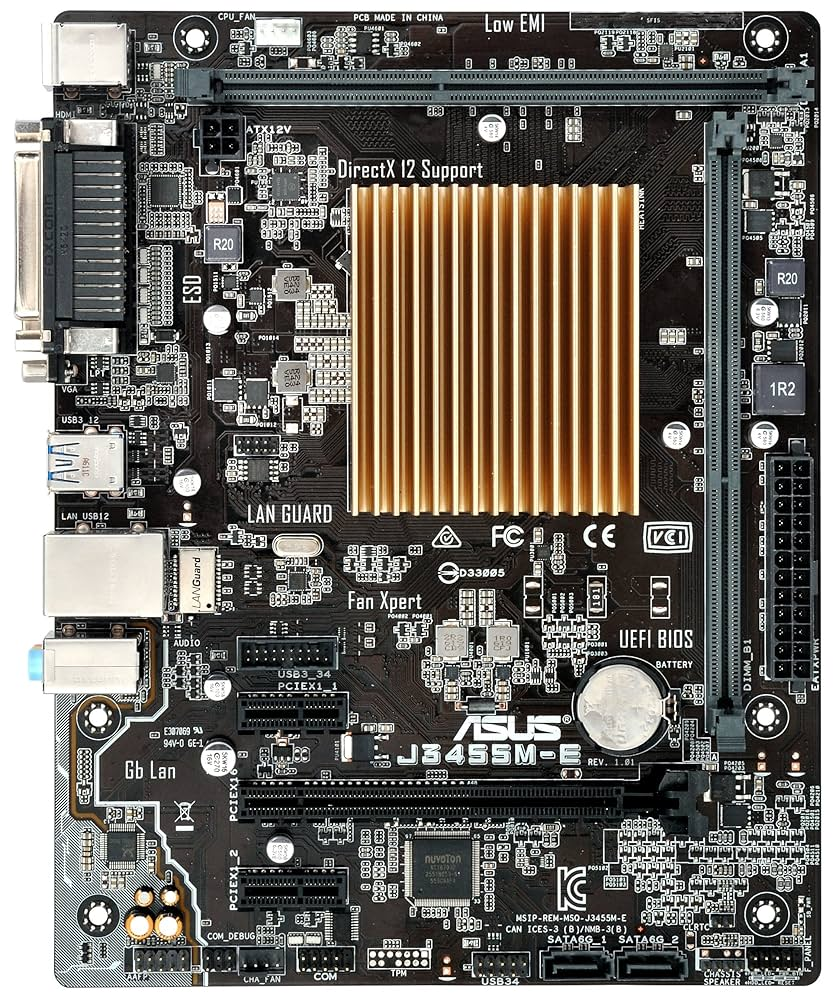
वैसा Mother Board जिसपे Processor, North Bridge Ic और South Bridge Ic तीनो के लिए एक Common Ic (Thermal Glass) रहता है यह Soc Architecture Motherboard कहलाता है।
Note :- Soc Architecture वाले Mother Board Mostly Laptop में देखने को मिलता है।
Desktop Mother Board
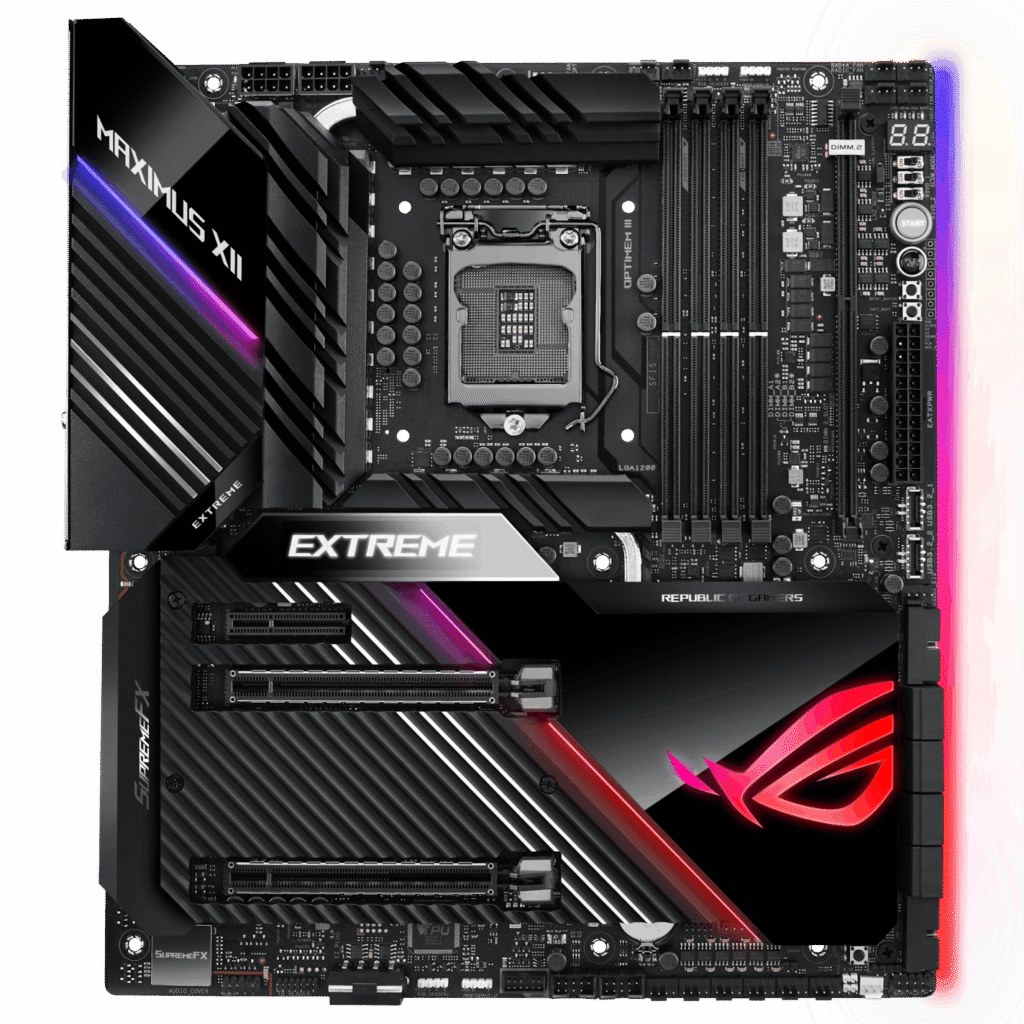
| 1 | Micro Processor Socket |
|---|---|
| 2 | Cpu Fan Connector |
| 3 | Sys Fan Connector |
| 4 | 20 / 24 Pins Atx Power Connector |
| 5 | 4 Pins +12v Atx Power Connector |
| 6 | Ram Slot |
| 7 | Pci Slot |
| 8 | Pci Expression Slot |
| 9 | Pata Data Connector |
| 10 | Sata Data Connector |
| 11 | Front Panel Power Connector |
| 12 | Front Panel Usb Connector |
| 13 | Front Panel Audio Connector |
| 14 | C-Mos Battery And Socket |
| 15 | C-Lr. Cmos Jumper |
| 16 | On Board Buzzer |
| 17 | Buzzer Connector |
| 18 | Ps2 Port |
| 19 | Vga Port |
| 20 | Hdmi Port |
| 21 | Usb Port |
| 22 | Lan Port |
| 23 | Audio Port |
| 24 | Com Port |
| 25 | Parallel Port |
Motherboard के कितने प्रकार होते हैं?
Motherboard के कई प्रकार होते हैं, जो उनके आकार (Form Factor), उपयोग, और compatibility के आधार पर classify किए जाते हैं। नीचे विभिन्न प्रकार के motherboard के बारे में बताया गया है –
1. Based on Form Factor (आकार के आधार पर) –
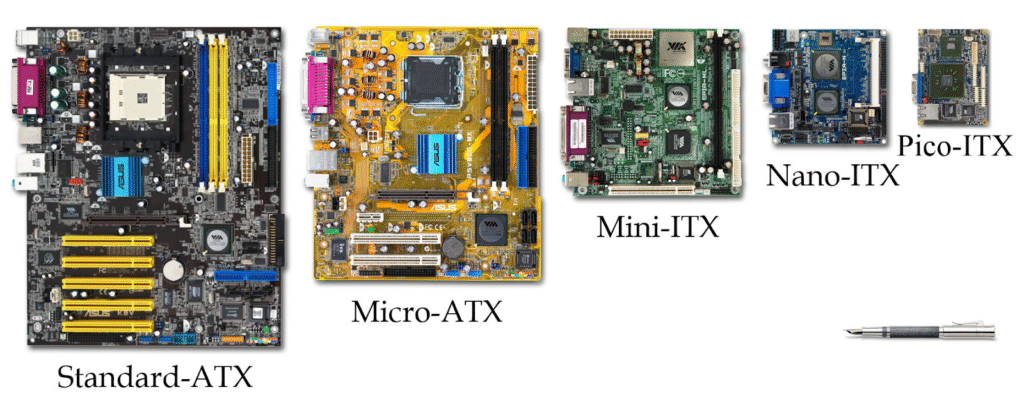
| Form Factor | Size (Approx) | Use |
|---|---|---|
| ATX (Advanced Technology eXtended) | 12″ x 9.6″ | Desktop PC, Full-featured systems |
| Micro-ATX | 9.6″ x 9.6″ | Budget desktops, compact systems |
| Mini-ITX | 6.7″ x 6.7″ | Small PCs, HTPC (Home Theater PC) |
| E-ATX (Extended ATX) | 12″ x 13″ | High-end gaming, workstation |
| Nano-ITX | 4.7″ x 4.7″ | Embedded systems, smart devices |
| Pico-ITX | 3.9″ x 2.8″ | Industrial & embedded applications |
Notes:
- जितना छोटा size होगा, उतनी कम expandability होगी।
- Mini-ITX और छोटे boards power-efficient होते हैं।
2. Based on Platform (CPU socket & chipset support के अनुसार) –
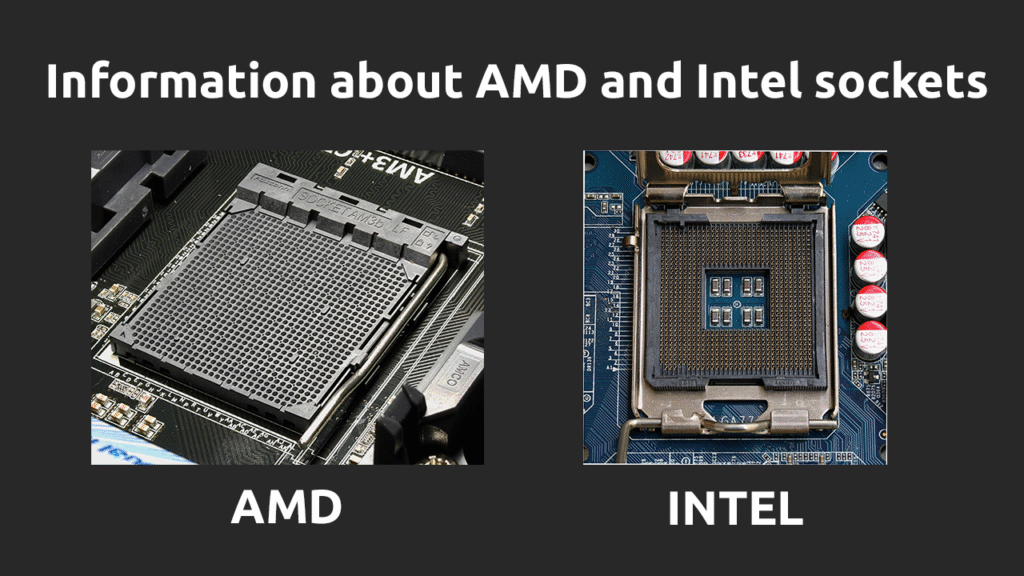
| Platform Type | Example | Use |
|---|---|---|
| Intel Motherboard | LGA 1200, LGA 1700, etc. | Intel CPUs के लिए |
| AMD Motherboard | AM4, AM5, TRX40 | AMD CPUs के लिए |
- Intel और AMD की motherboards एक-दूसरे से compatible नहीं होतीं।
- Chipset (जैसे B660, Z790, X570) features और performance को define करता है।
3. Based on Use-Case (उपयोग के आधार पर) –
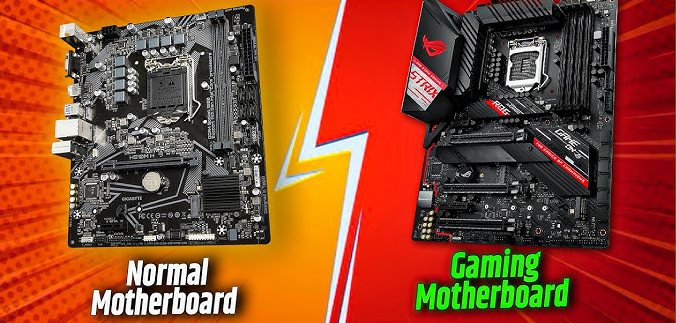
| Type | Features | Example |
|---|---|---|
| Standard Motherboard | Normal desktop use | ATX, Micro-ATX |
| Gaming Motherboard | High-speed RAM, multiple GPUs, RGB, cooling | MSI B550 Gaming Plus |
| Workstation Motherboard | Multi-core CPU, ECC RAM, high stability | ASUS WS C422 SAGE |
| Server Motherboard | Redundant power, multiple CPUs, ECC RAM | Supermicro X11SPi |
| Industrial Motherboard | Durable, long lifecycle, low power | Used in factories/machines |
| Embedded Motherboard | Compact, low power | Raspberry Pi, Nano-ITX |
4.Based On Expandible –
Integrated और Non-Integrated Motherboard दोनों के बीच का अंतर उनके components के installation के तरीके पर आधारित होता है।
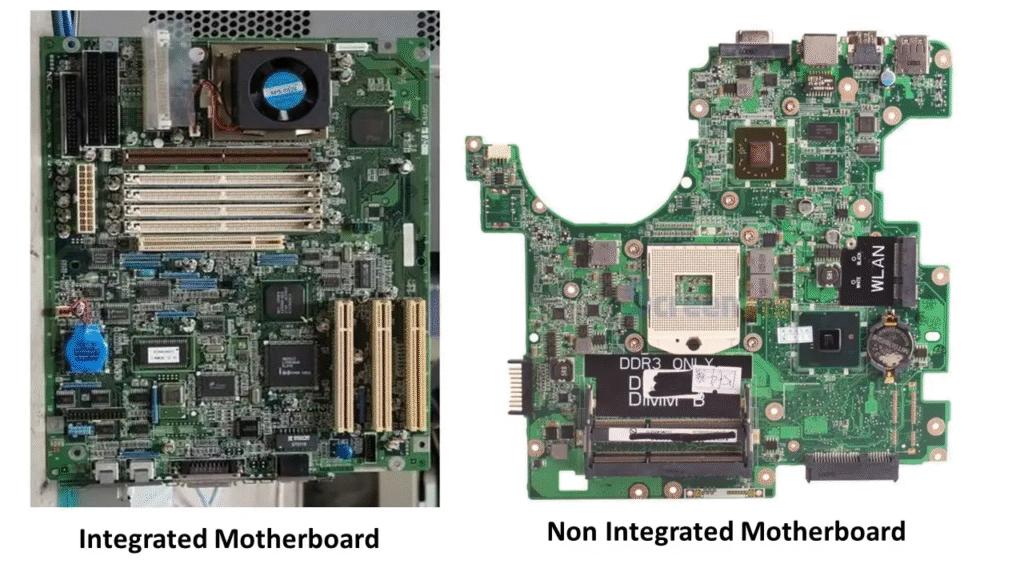
Integrated Motherboard – एक ऐसा motherboard जिसमें कई जरूरी components पहले से ही motherboard पर embedded (जुड़े हुए) होते हैं।
Include Components:
- Graphics card (GPU)
- Sound card
- Network card (LAN/WiFi)
- RAM slots (fixed in कुछ laptops)
- Processor (कुछ low-end systems में soldered CPU)
Features:
- Compact और सस्ता होता है।
- Laptop और कुछ branded desktops में ज़्यादातर integrated motherboards होते हैं।
- Upgradation की सुविधा कम होती है।
- Power efficient और कम heat produce करता है।
Use Cases :
- Laptops
- Office desktops
- Thin clients
- Low-cost PCs
Non-Integrated Motherboard – ऐसा motherboard जिसमें ज़्यादातर components external slots या ports में अलग से लगाए जा सकते हैं।
External Components :
- Separate Graphics Card (PCIe Slot)
- Sound Card (if needed)
- RAM sticks (removable)
- CPU (replaceable)
- Network card (optional)
Features :
- Easily upgradable
- High performance के लिए suitable
- Repair और customization में आसान।
- ज़्यादा power consume करता है और cooling की जरूरत होती है।
Use Cases:
- Gaming PCs
- Video editing and 3D rendering systems
- Servers
- High-end workstations
| Feature | Integrated Motherboard | Non-Integrated Motherboard |
|---|---|---|
| Graphics Card | Onboard (shared) | External (dedicated) |
| Sound/Network | Built-in | Optional/External |
| Performance | Moderate | High |
| Cost | सस्ता | महंगा |
| Repair | मुश्किल | आसान |
| Upgrade | Limited | Easy |
| Size | Compact | Larger |
| Use | Laptop, office PC | Gaming, editing, servers |
Note :
अगर आप basic use, कम power consumption, और compact design चाहते हैं तो Integrated motherboard सही है।
अगर आपको high performance, future upgradability, और customization चाहिए तो Non-Integrated motherboard सबसे बेहतर होता है।
Technology के आधार पर Motherboard के कितने प्रकार होते हैं?
Technology के आधार पर Motherboard के दो Parts होते हैं।
- Original Motherboard
- Chipset Motherboard
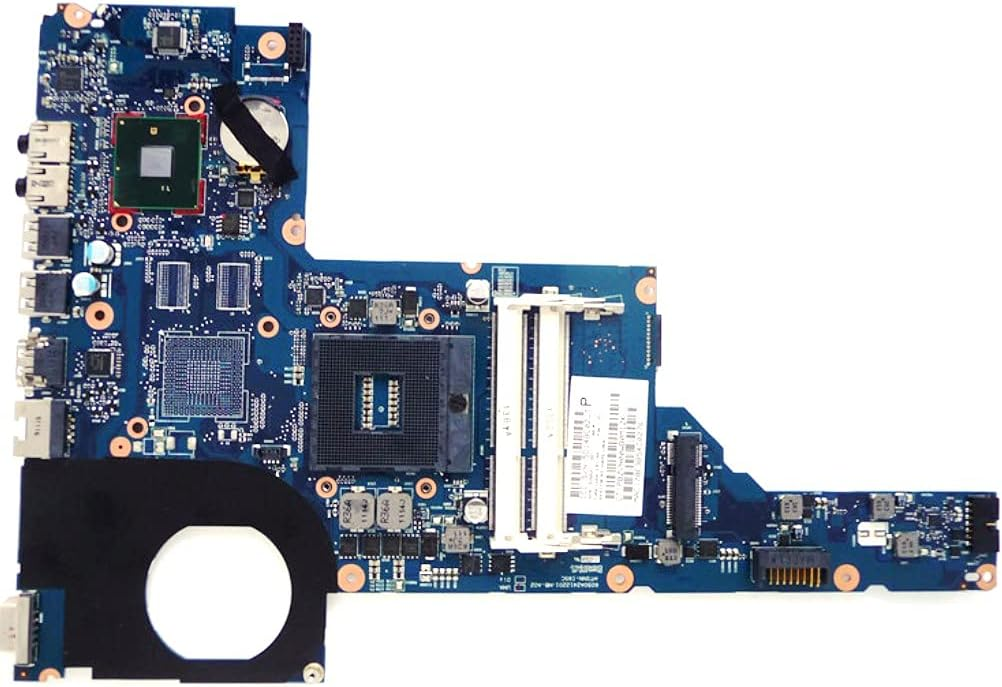
Original Motherboard – ऐसे सभी Motherboard जो Intel Corportaion द्वारा बनाया जाता है, ये Motherboard अधितकर Branded Computer के साथ आते है। जैसे – Hp, Dell, Lenvo, Acer Etc. इस तरह के Motherboard, Green Color के होते हैं, और इनमे Intel Corporation के Chipset लगी होती है।
Chipset Motherboard – ऐसे सभी Motherboard जो दो Company के Collaboration से मिलकर बनी होती है, जिसमे Motherboard किसी और Company का और Interface Chip किसी और Company का होता है।
इस तरह का Motherboard की Performance और Process Quality पूरी तरह से इसके Interface Chip के ऊपर Depend करती है, ये Motherboard, Red, Blue, Gold, Black, Brown, Colour में हो सकते हैं। इनके ऊपर तीन तरह के Chipset लगी हो सकती है। जैसे – Intel, Nia, Sis इत्यादि।
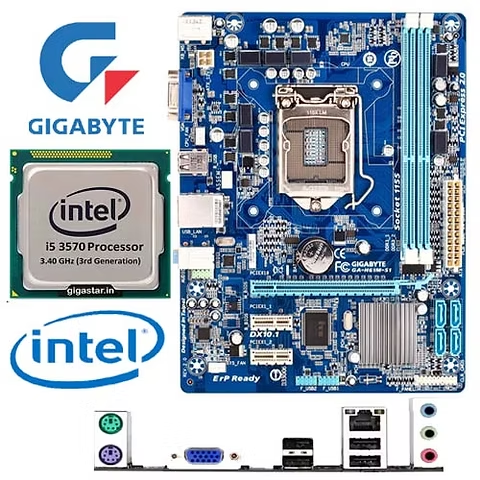
Note – जिस Motherboard के ऊपर Interface Chip Intel Company की होती है वे सभी Motherboard, Intel Chipset Motherbaord कहलाते हैं। कुछ Chipset Motherboard बनाने वाली Company के नाम – Gigabyte, Msi, Mercury, Asus, Foxcon, Zebronics इत्यादि है।
Intel ने 2013 में Haswell platform के launch के बाद अपनी खुद की branded desktop motherboards बनाना बंद कर दिया था।
इस decision का main reason था कि Intel अपने core CPU business पर focus करना चाहता था और motherboard market को third-party manufacturers जैसे कि ASUS, Gigabyte, MSI आदि के लिए छोड़ देना चाहता था। उस समय desktop की demand धीरे-धीरे कम हो रही थी और लोग laptops और tablets की तरफ shift कर रहे थे।
Intel खुद से laptop motherboards manufacture नहीं करता। हालाँकि Intel chipsets और CPUs design और produce करता है, लेकिन laptop motherboard ka actual production ऐसी companies करती हैं जैसे:
ASUS
ASRock
Gigabyte
Intel का main काम है core components (जैसे कि chipset, processor, etc.) provide करना – न कि पूरा laptop motherboard बनाना।
Laptop Motherboard :
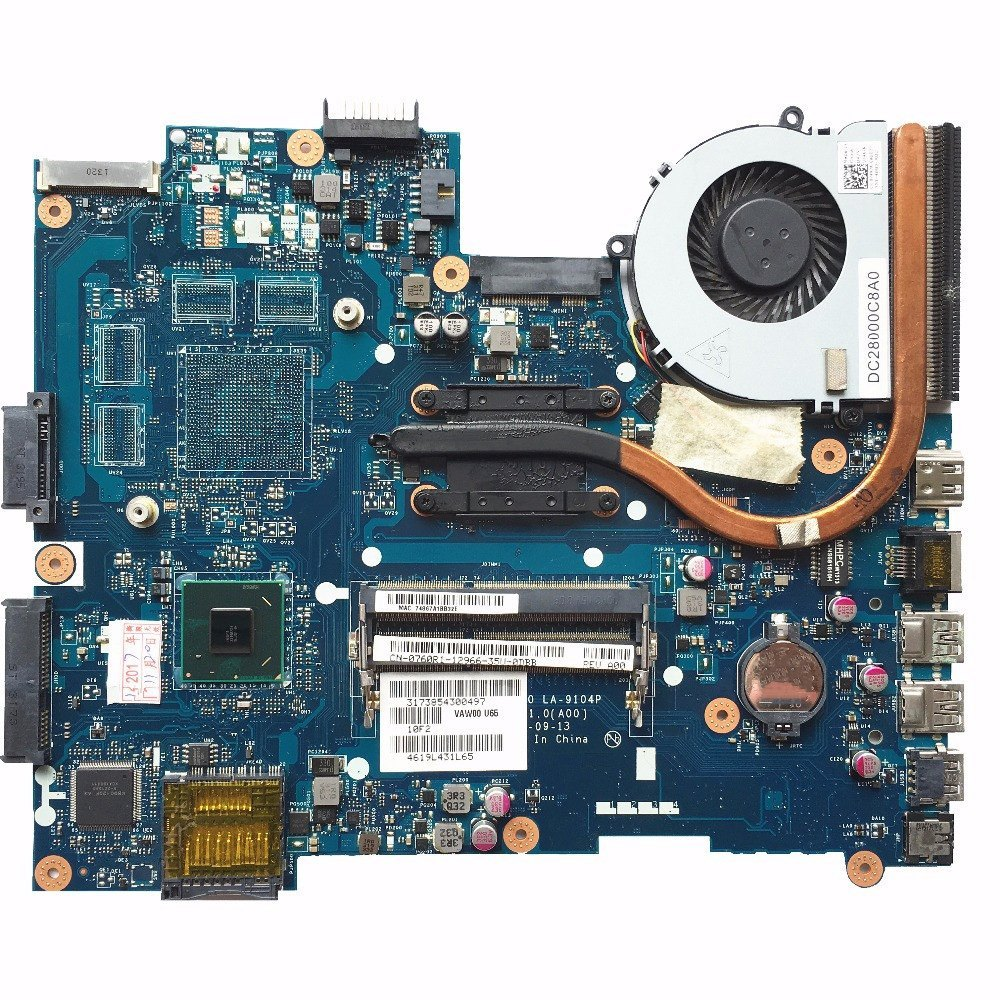
Laptop motherboard मुख्यतः दो प्रकार के होते हैं: Integrated और Non-Integrated। Integrated motherboard में CPU, GPU, RAM आदि सभी components motherboard पर ही soldered होते हैं, जिससे इन्हें upgrade या repair करना मुश्किल होता है। यह अधिकतर ultrabooks, MacBooks और सस्ते laptops में पाए जाते हैं।
वहीं Non-Integrated या Modular motherboards में कुछ parts जैसे RAM या Wi-Fi card socketed होते हैं, जिससे उन्हें बदला जा सकता है। ब्रांड्स के अनुसार भी motherboard का design अलग होता है; जैसे Dell और Lenovo के कुछ models modular होते हैं जबकि HP और Apple के ज़्यादातर laptops में सब कुछ integrated होता है।
Laptop motherboards का कोई fixed size नहीं होता, हर brand का proprietary layout होता है। Repairing के लिए यह जानना ज़रूरी होता है कि कौन-सा motherboard type है, ताकि chip-level troubleshooting सही तरीके से की जा सके।
Laptop Motherboard
| K.B | Keyboard |
|---|---|
| T.Pad | Touch Pad |
| Spk | Speaker |
| Bt | Bluetooth |
| Odd | Dvd Writer |
| Hdd | Hard Disk Drive |
| Lvds/Lcd | Display |
| P/Button | Power On / Off |
| Dc In | Cc Connector In Motherboard |
| Wan | Black & White Wire + Or – Only Wifi |
Motherboard के क्या Functions होते हैं?
Motherboard के मुख्य Function, अलग – अलग Hardware Components को एक साथ Connect करना और Communication Provide करना होता है। ये Power Supply, Data Transfer, और Communication का Coordination भी Handle करता है।
Motherboard किस तरह का होता है?
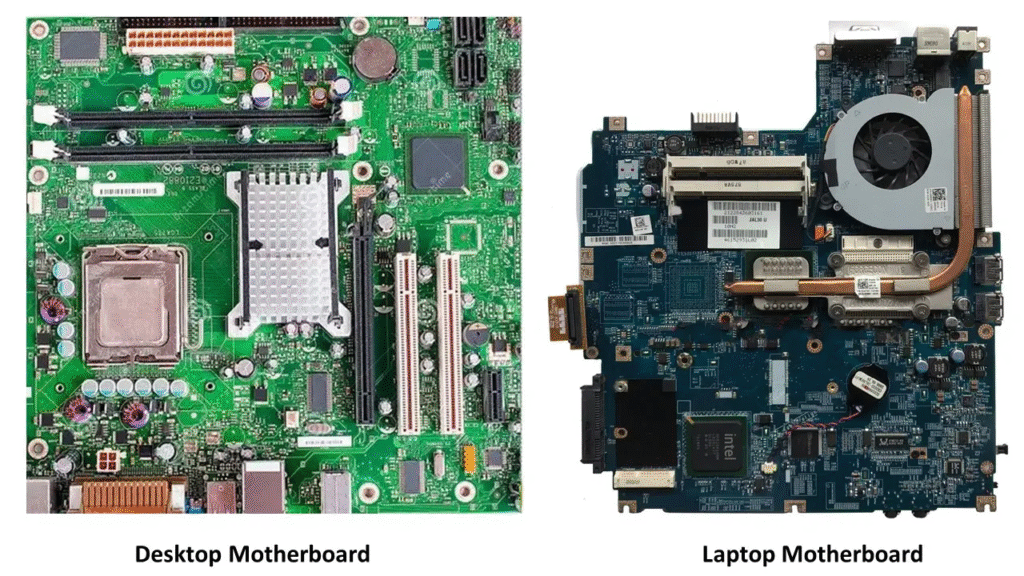
Motherboard Typically एक Large Rectangular Circuit Board होता है, जो Various Slots, Connectors, और Ports के साथ होता है। जिसमे CPU, RAM और Storage Devices Connect होते हैं। Motherboard को आप Internet पर Image के माध्यम से देख सकते हैं, और Youtube से आप Video के माध्यम से Motherboard को देख सकते हैं।
यहाँ पर Desktop Motherboard की सभी प्रमुख series (platforms, sockets और chipsets के अनुसार) की एक पूरी लिस्ट दी जा रही है, जो Intel और AMD दोनों platforms को कवर करती है। ये जानकारी chip-level repairing, compatibility understanding, और motherboard selection के लिए बहुत उपयोगी है।
Intel Desktop Motherboard Series
Intel motherboards को उनके Socket type + Chipset series से पहचाना जाता है।
Intel Sockets:
| Socket | Supported CPUs | Use |
|---|---|---|
| LGA 775 | Pentium 4, Core 2 Duo/Quad | पुरानी सीरीज़ (2005–2010) |
| LGA 1156 | Core i3/i5/i7 (1st gen) | पुरानी |
| LGA 1155 | Core i3/i5/i7 (2nd, 3rd gen – Sandy/Ivy Bridge) | repair में common |
| LGA 1150 | 4th Gen (Haswell) | Repair shops में आम |
| LGA 1151 | 6th to 9th Gen (Skylake to Coffee Lake) | बहुत popular |
| LGA 1200 | 10th & 11th Gen | Latest in older category |
| LGA 1700 | 12th to 14th Gen (Alder Lake to Raptor Lake) | New generation |
Intel Chipset Series (Common Desktop Models):
| Chipset Series | Examples | Notes |
|---|---|---|
| Intel G Series | G31, G41, G61 | Integrated graphics |
| Intel H Series | H61, H81, H110, H310, H510, H610 | Budget segment |
| Intel B Series | B75, B85, B250, B360, B460, B660 | Business-class chipset |
| Intel Z Series | Z77, Z87, Z97, Z170, Z270, Z370, Z590, Z790 | High-end, overclocking support |
| Intel Q Series | Q65, Q67, Q270 | Corporate/enterprise boards |
AMD Desktop Motherboard Series
AMD motherboard series को उनके Socket type + Chipset से जाना जाता है।
AMD Sockets:
| Socket | Supported CPUs | Use |
|---|---|---|
| AM2 / AM2+ | Athlon 64, Phenom | बहुत पुराना |
| AM3 / AM3+ | Phenom II, FX Series | पुराना लेकिन repair में अभी भी आता है। |
| FM1 / FM2 / FM2+ | A-series APU | Budget APU boards |
| AM4 | Ryzen 1000 to 5000 Series | सबसे अधिक प्रचलित |
| AM5 | Ryzen 7000 series onwards | नया, DDR5 सपोर्ट करता है। |
| sTRX4 / TR4 | Threadripper CPUs | Workstation motherboard |
AMD Chipset Series (AM4 Examples):
| Chipset | Use Case | Notes |
|---|---|---|
| A Series | A320, A520 | Entry level |
| B Series | B350, B450, B550 | Mainstream, popular |
| X Series | X370, X470, X570 | High-end, overclocking |
| TRX Series | TRX40 | Threadripper CPUs only |
Motherboard Series पहचानने के Tips (Repair Point of View):
- Model Number example:
- ASUS H61M-K → Intel H61 chipset, LGA 1155
- Gigabyte B450M DS3H → AMD B450 chipset, AM4
- Chipset marking motherboard के ऊपर printed होता है।
- BIOS chip के पास अक्सर motherboard model लिखा होता है।
- Multimeter से voltage rail या debug card का इस्तेमाल कर के chipset line समझ सकते हैं।
Bonus: Motherboard Series Chart (Simplified) :
| Platform | Socket | Popular Chipsets |
|---|---|---|
| Intel | LGA 775 | G31, G41 |
| Intel | LGA 1155 | H61, B75, Q67 |
| Intel | LGA 1151 | H110, B250, Z270 |
| Intel | LGA 1200 | B460, H510, Z590 |
| Intel | LGA 1700 | B660, Z690, H610 |
| AMD | AM3+ | 760G, 970, 990FX |
| AMD | AM4 | A320, B450, B550, X570 |
| AMD | AM5 | B650, X670 |
| AMD | TR4 | X399 |
| AMD | sTRX4 | TRX40 |
Motherboard का Selection कैसे करते हैं?
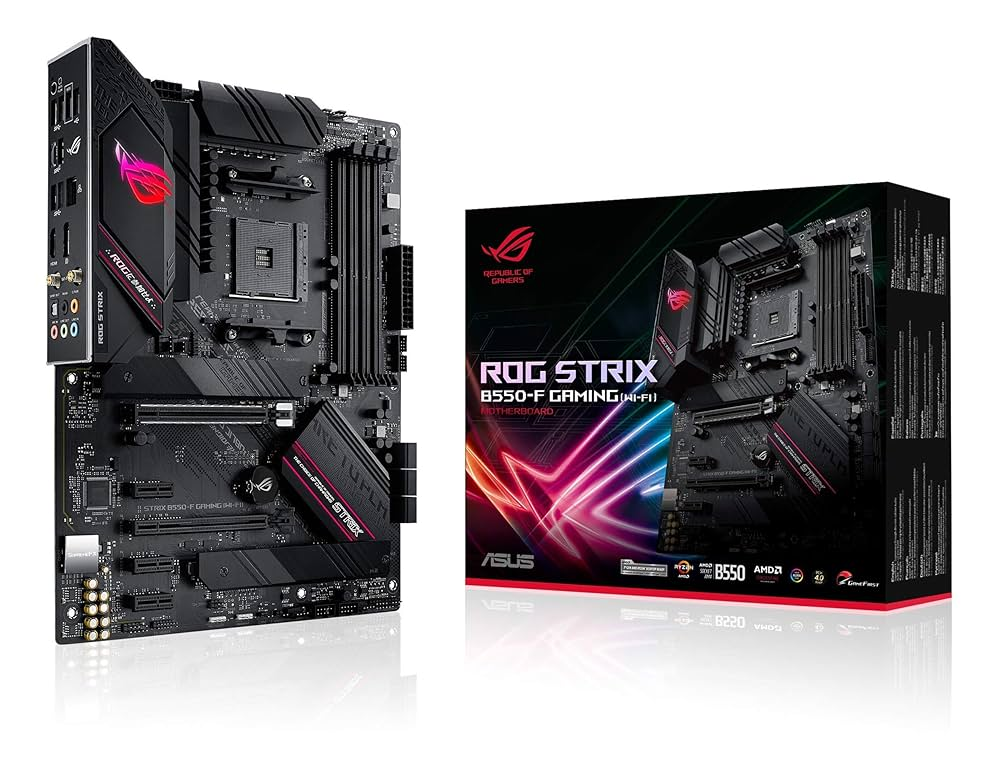
Motherboard का Selection Primarily Depend करता है, Processor के Compatible Socket, From Factor (Size) Required Feature (जैसे की USB Ports, Sata Ports और Expansion Slots) और Budget पर के आधार पर भी Motherboard का Selection किया जाता है।
Identification Of Pentium Motherboard –
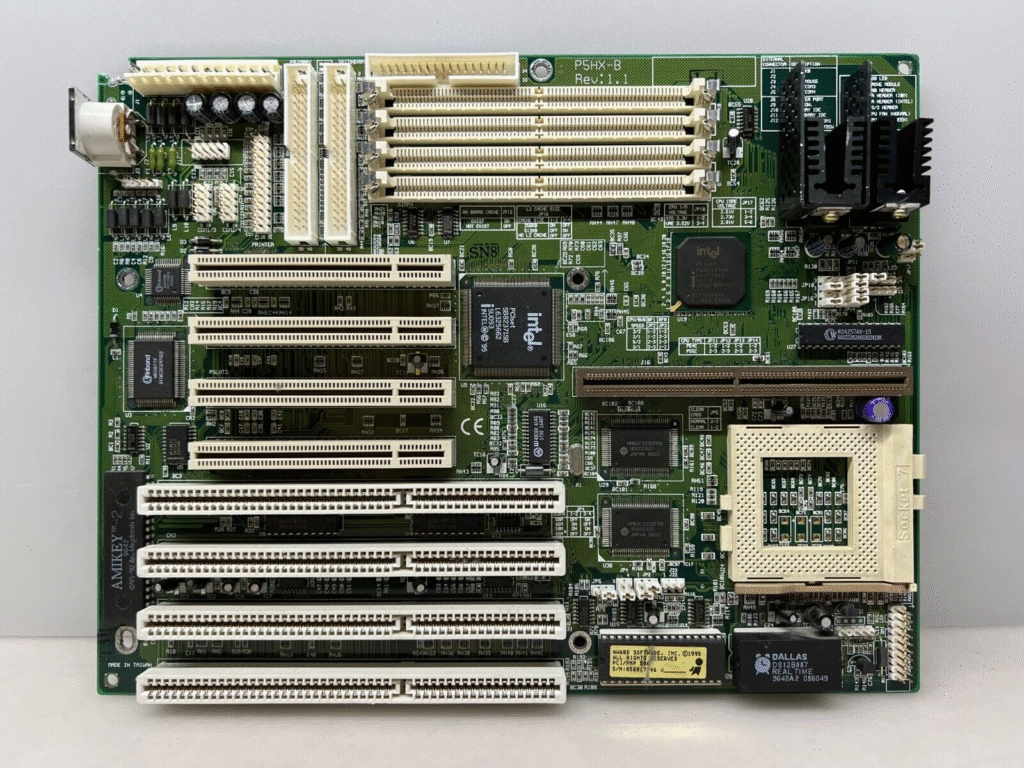
Identification Of Pentium 1 Motherboard – इस तरह के Motherboard में Inbuilt CPU होता है, इस तरह के Motherboard के साथ At Smps का Use किया जाता है। इस Motherboard के साथ Edo RAM का Use किया जाता है।
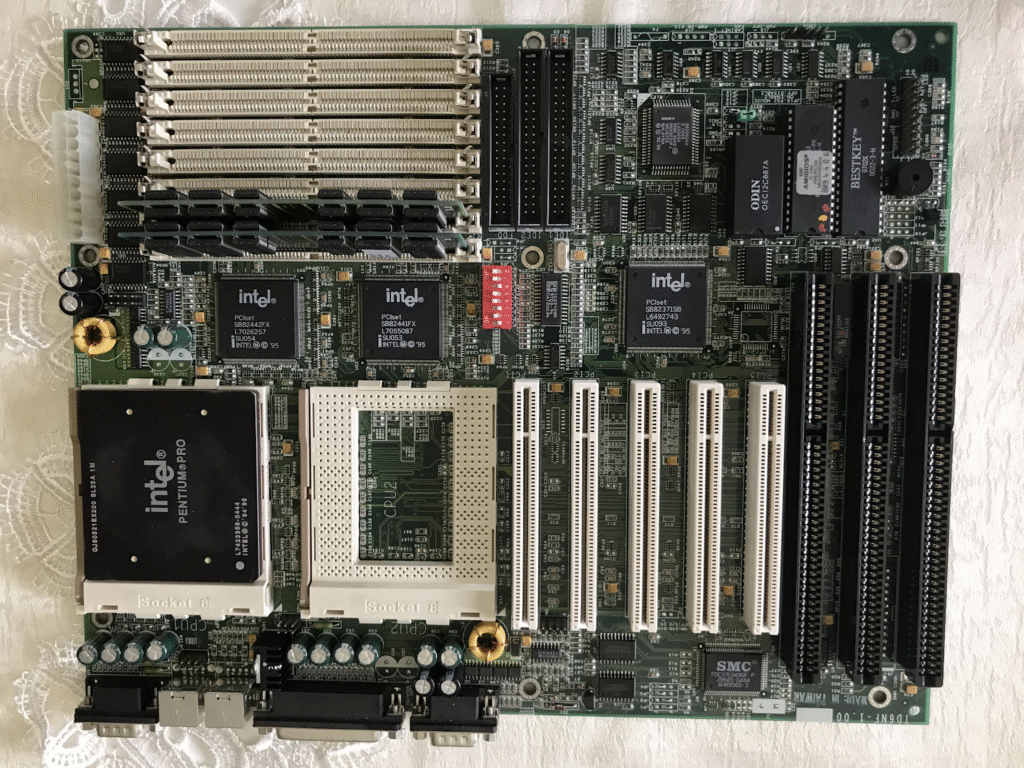
Identification Of Pentium 2 Motherboard – इस तरह के Motherboard में Standing Processor (CPU) का Use किया जाता है, इस Motherboard के साथ भी Edo RAM का प्रयोग किया जाता है। इस तरह के Motherboard, Non – Integrated Motherboard होते हैं।
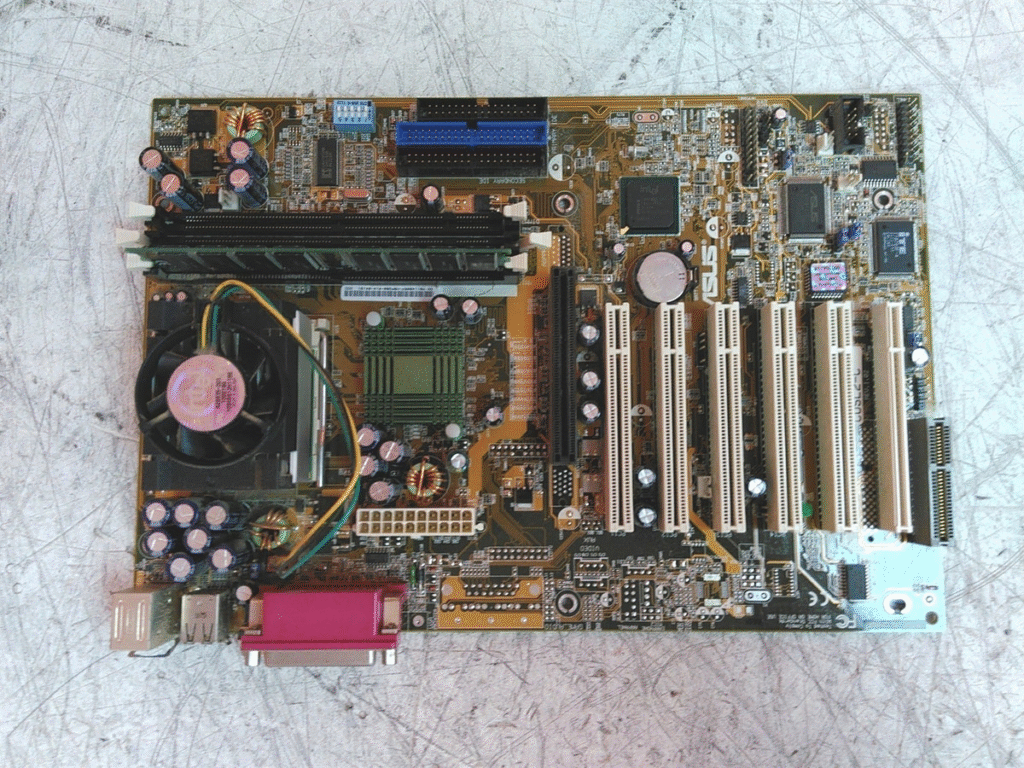
Identification Of Pentium 3 Motherboard – इस Motherboard में Pin वाले Processor का Use किया जाता है। इसमें PGA CPU Socket लगा होता है। जिसके ऊपर PGA 370 लिखा रहता है, यह Processor, Size में काफी बड़ी होती है, जिसके पिनों की संख्या 370 होती है।
इस तरह के Motherboard के साथ Sd RAM का Use किया जाता है, इस तरह के Motherboard Integrated Motherboard होता है, इस Motherboard के साथ Atx Smps का Use किया जाता है।
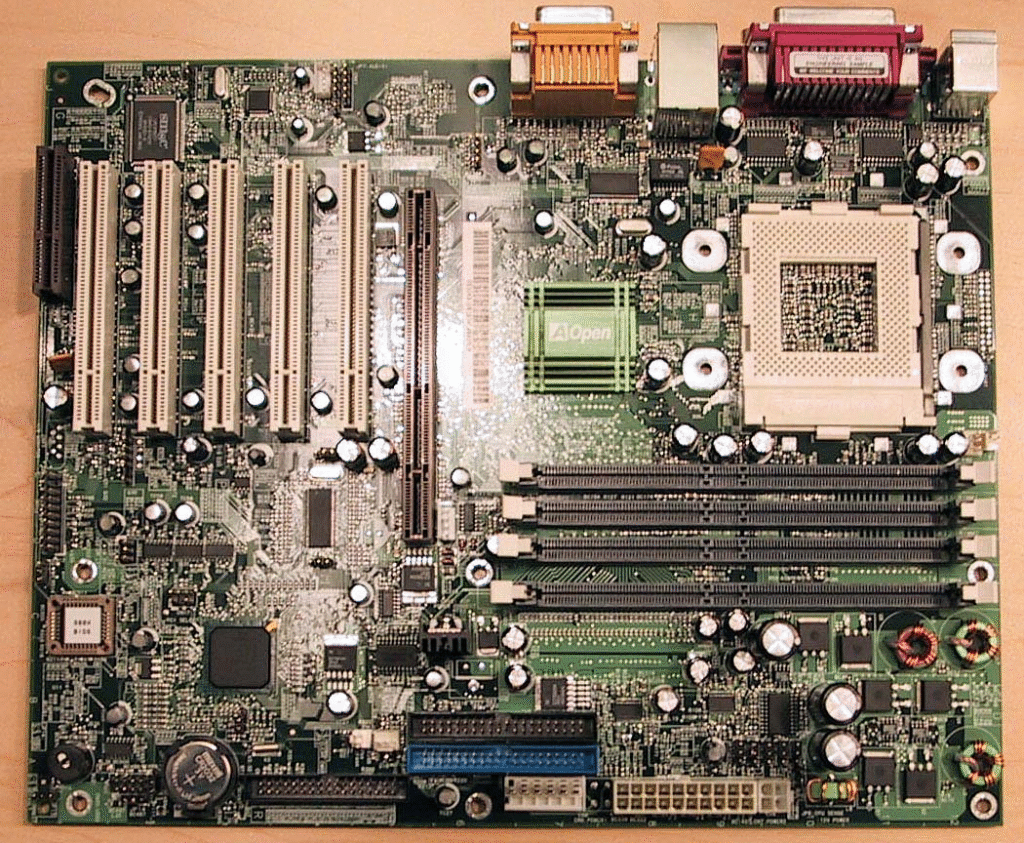
Identificiation Of Pentium 4 Motherboard – इस Motherboard में छोटे Size का Microprocessor Use किया जाता है, जिसमे पिनों की संख्या 478 होती है। इसके CPU Socket के उअप्र Mpj 478 A या B लिखा हुआ हो सकता है।
इस तरह के Motherboard के साथ DDR 1 RAM का Use किया जाता है। जिसके Slot के ऊपर 2.5 Volt लिखा होता है। इस Motherbord के साथ Atx Smps का Use किया जाता है। और इसके साथ Smps के लिए 4 Pin Extraa दिया होता है, जो Micro Processor को Power देने के लिए Use किया जाता है।
Note – Motherboard क पहचानने के लीये Motherboard पर लगे Main Chipset (North Bridge) के First Line के Last – 3 Number को Read करेंगे।
Pentium – 865
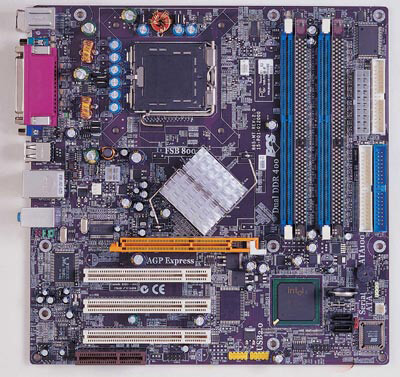
- RAM – DDR I
- CPU Socket – MPGA
- Main Chip No. – 865
- Maximum Capacity Of RAM – 2 Gb
- CPU – Pentium Iv
Pentium IV 915
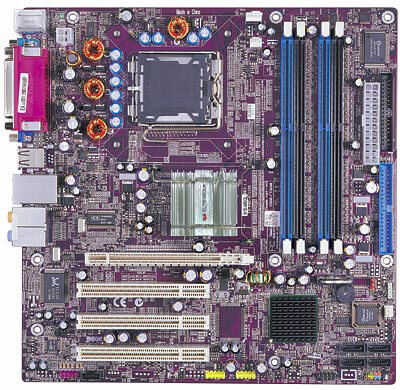
- RAM – DDR I & DDR II
- CPU Socket – LGA775
- Main Chip No. – 9,5
- Maximum Capacity Of RAM – 2 Gb
- CPU – Pentium Iv, Dual Core
- Speed Of RAM – 533 / 600 Mhz
Pentium IV 945
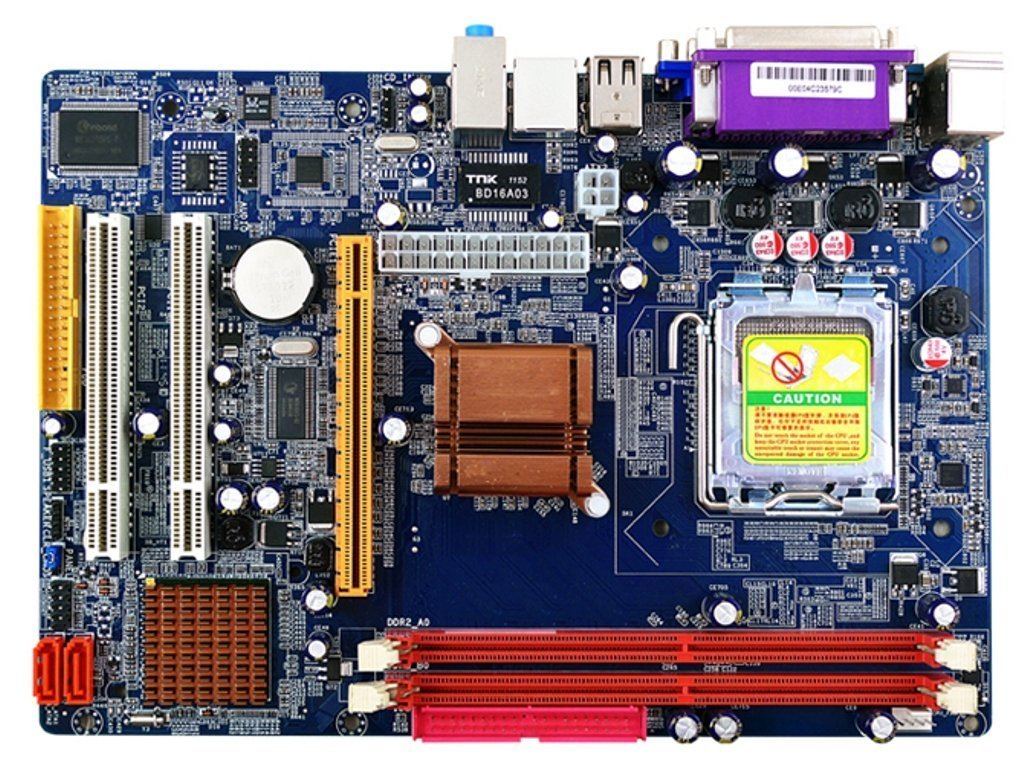
- RAM – DDR I & DDR II
- CPU Socket – LGA775
- Main Chip No. – 945
- Maximum Capacity Of RAM – 4 Gb
- CPU – Pentium Iv, Dual Core, Core 2 Duo
Pentium – 965
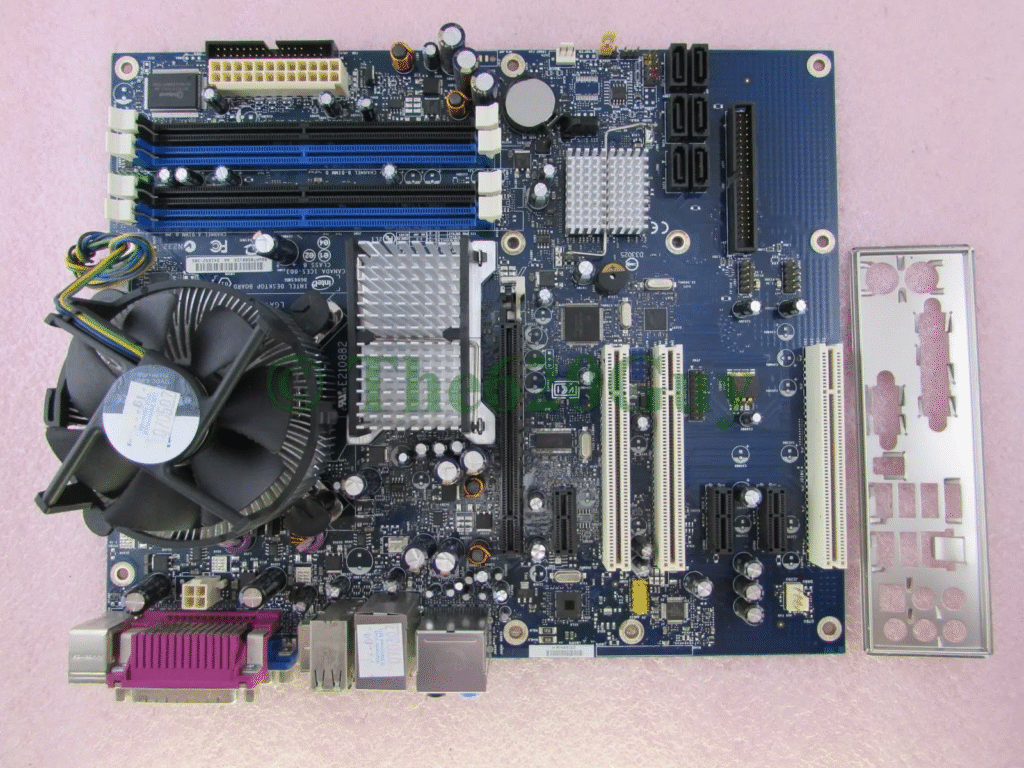
- RAM – DDR II
- Speed Of RAM – 600/800 Mhz
- CPU Socket – LGA775
- Main Chip No. – 965
- Maximum Capacity Of RAM – 4 Gb
- CPU – Pentium Iv, Dual Core, Core 2 Duo, Core 2 Quad
G31
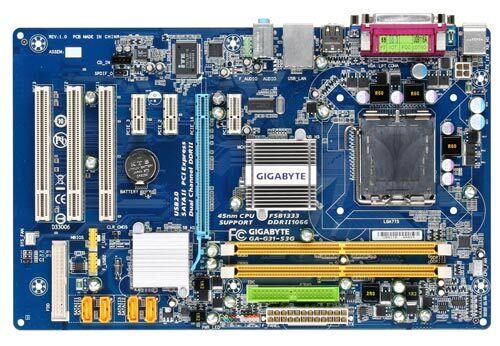
- RAM – DDR II & III
- Speed Of RAM – 800 Mhz, 1300 Mhz
- CPU Socket – Dual Core, Core 2 Duo, Quad Core
- CPU Socket – LGA 775 (Pinless CPU)
- Main Chip – G31
G-41
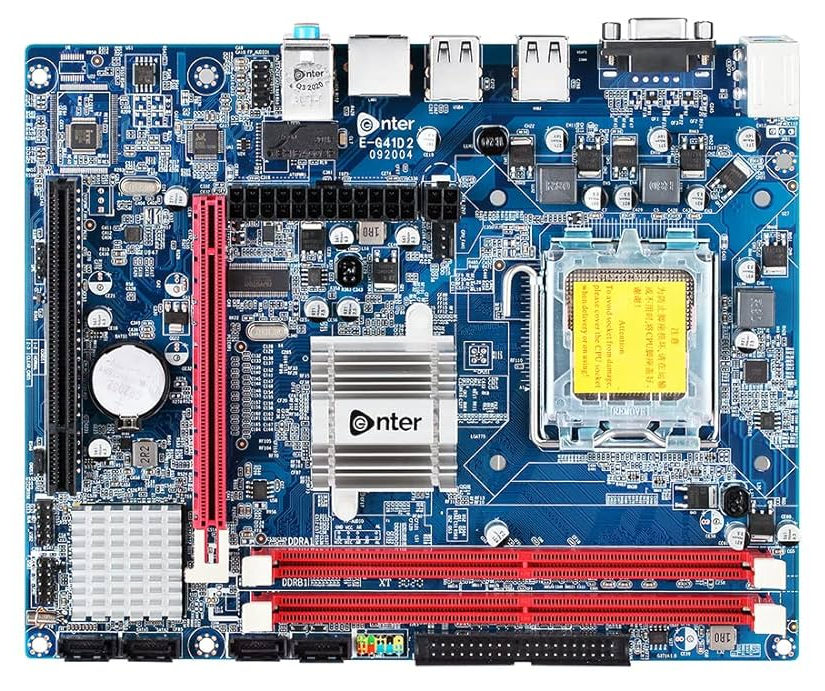
- RAM – DDR II & DDR III
- Maximum Capacity – 8 Gb
- Speed Of RAM – 1033, 1300 Mhz
- CPU – Dual Core, Core 2 Duo, Quad Core.
- CPU Socket – LGA 775
- Main Chip No. – G41
G41 Standard Motherboard
- ये Intel का एक पुराना chipset है जो DDR2 या DDR3 में से सिर्फ एक type की RAM को सपोर्ट करता है।
- यानी अगर motherboard DDR2 वाला है, तो आप DDR3 RAM नहीं लगा सकते—and vice versa.
Example:
- कुछ G41 boards सिर्फ DDR2 slots देते हैं
- कुछ सिर्फ DDR3 slots देते हैं
G41 Combo Motherboard
- इसमें दोनों types के RAM slots होते हैं: DDR2 और DDR3
- आप एक समय में सिर्फ एक type की RAM इस्तेमाल कर सकते हैं (DDR2 या DDR3—not both together)
- ये flexibility देता है पुराने RAM को temporarily इस्तेमाल करने का या future में DDR3 पर upgrade करने का
Example:
- 2 DDR2 slots + 2 DDR3 slots
- User अपनी जरूरत के हिसाब से RAM type चुन सकता है
फर्क को आसान भाषा में समझो:
| Feature | G41 Standard | G41 Combo |
|---|---|---|
| RAM Support | DDR2 या DDR3 (एक ही type) | DDR2 और DDR3 दोनों |
| Upgrade Flexibility | Limited | ज़्यादा |
| Slots | Fixed type | Mixed type |
| Cost | थोड़ा कम | थोड़ा ज़्यादा (क्योंकि ज़्यादा options हैं) |
G41 Combo किसके लिए सही है?
- जिनके पास पुरानी DDR2 RAM है और वो future में DDR3 पर जाना चाहते हैं
- Budget PC builders जो धीरे-धीरे upgrade करना चाहते हैं
G41 Combo
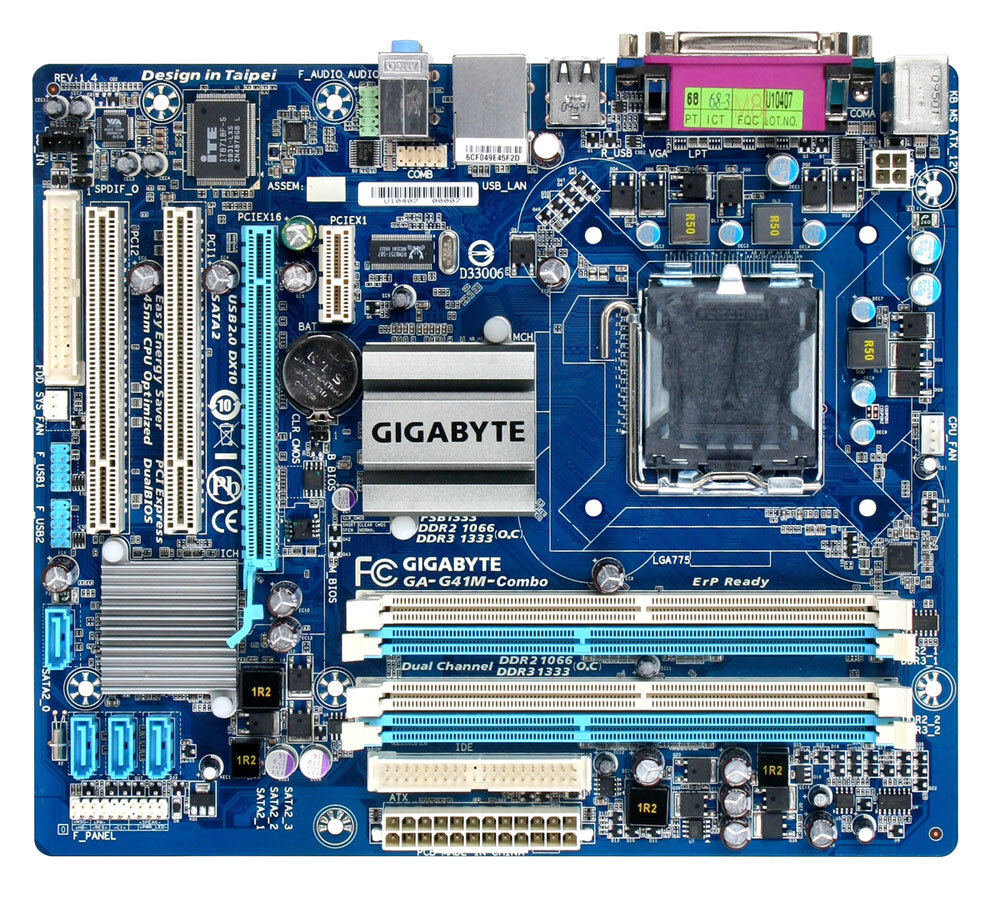
- RAM – DDR II & DDR III
- Maximum Capacity – 8 Gb
- Speed Of RAM – 1033, 1300 Mhz
- CPU – Dual Core, Core 2 Duo, Quad Core
- CPU Socket – LGA 775
- Main Chip No. – G41
The Intel G41 chipset supports various Intel Core 2 series processors, including Core 2 Quad, Core 2 Extreme, Core 2 Duo, as well as Pentium and Celeron processors, all within the LGA 775 socket.
H61
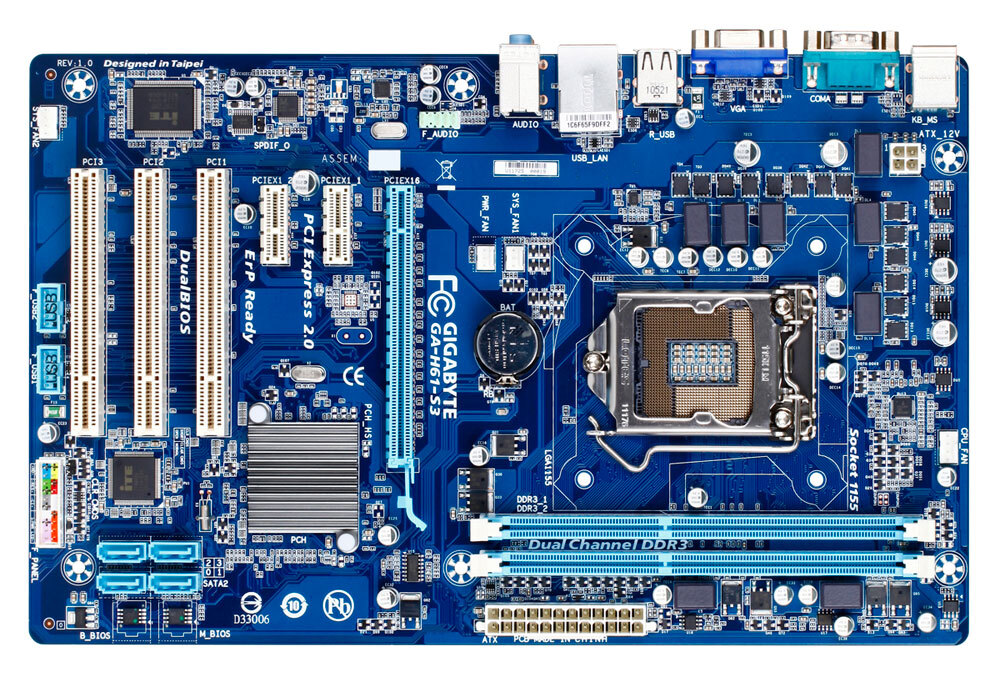
- RAM – DDR III
- Maimum Capacity – 8 Gb
- Speed Of RAM – 1300/1600 Mhz
- CPU – Dual Core (3rd, 4th, 5th, Generation) And i3, i5, i7 (Upto 2nd, 3rd Generation)
- CPU Socket – Dual Socket L.G.A 775 & L.G.A 1155
- Main Chip Number – H61
H81
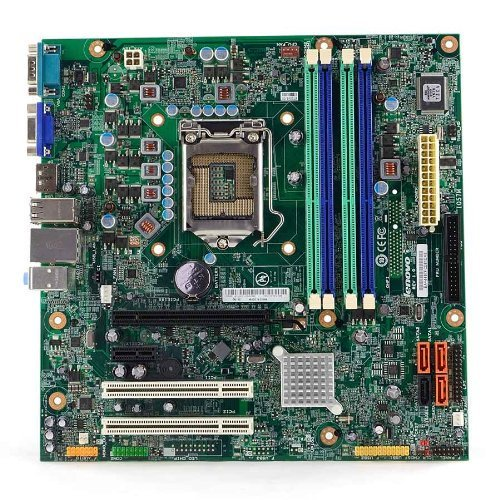
- RAM – DDR IV
- Maximum Capacity – 16 Gb
- Speed Of RAM – 2400 / 2800 Mhz
- CPU – i5-i7 (4th, 5th)
- CPU Socket – L.G.A – 1155
Intel H81 चिपसेट, जो LGA 1150 सॉकेट का उपयोग करता है, मुख्य रूप से Intel के 4th generation Core प्रोसेसर (जिसे Haswell भी कहा जाता है) को सपोर्ट करता है। इसमें Core i7, i5, i3, Pentium और Celeron सीरीज़ के प्रोसेसर शामिल होते हैं। कुछ H81 motherboards चुनिंदा 5th generation Intel प्रोसेसर को भी सपोर्ट कर सकते हैं, लेकिन यह motherboard के BIOS अपडेट और निर्माता की compatibility पर निर्भर करता है।
Barebone Motherboard / Company Desktop
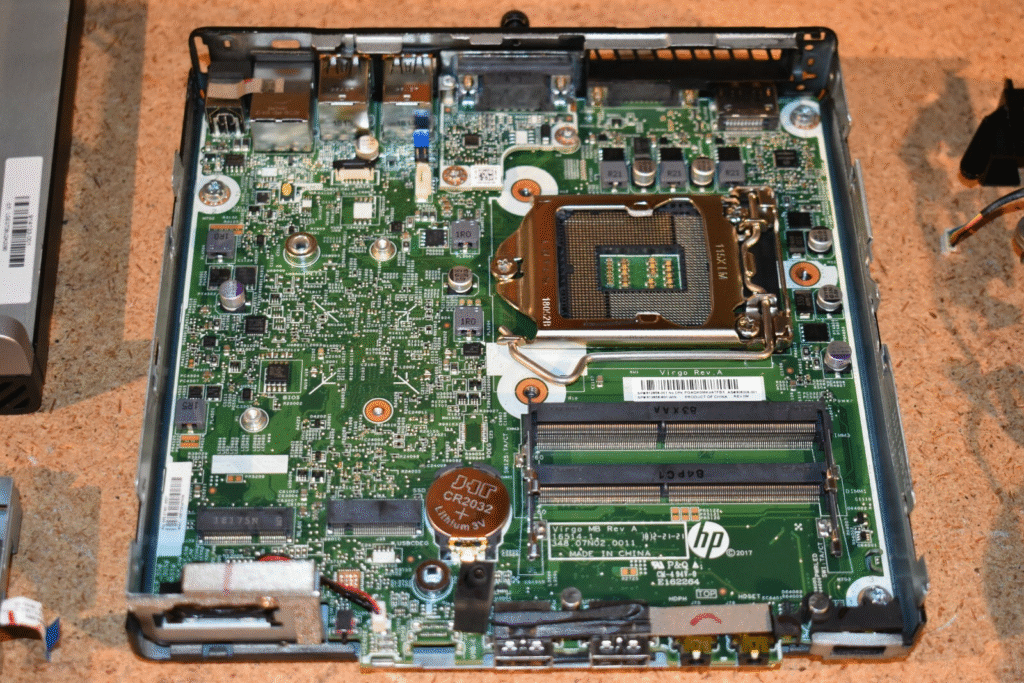
Barebone एक ऐसा partially assembled computer system होता है जिसमें कुछ जरूरी components पहले से लगे होते हैं, लेकिन बाकी parts यूज़र को खुद लगाने होते हैं।
Barebone System में क्या-क्या होता है?
शामिल होते हैं:
- Motherboard
- Power Supply Unit (PSU)
- Cabinet/Case
- कभी-कभी Cooling Fan भी
शामिल नहीं होते:
- Processor (CPU)
- RAM (Memory)
- Storage (HDD/SSD)
- Operating System
Barebone System क्यों इस्तेमाल करते हैं?
- Customization: यूज़र अपनी जरूरत के हिसाब से CPU, RAM, और Storage चुन सकता है।
- Cost Control: Budget के अनुसार धीरे-धीरे components जोड़ सकते हैं।
- Compact Design: Mini PCs और HTPCs (Home Theater PCs) में barebone systems बहुत popular हैं।
आसान भाषा में समझो:
Barebone system एक ready-made skeleton है—जिसमें आप अपनी पसंद के दिमाग (CPU), याददाश्त (RAM), और storage (HDD/SSD) जोड़ते हो।
Barebone किसके लिए सही है?
- DIY PC builders
- Students और tech enthusiasts
Company :
- Lenovo
- Dell
- HP
- Asus
- Acer
M91
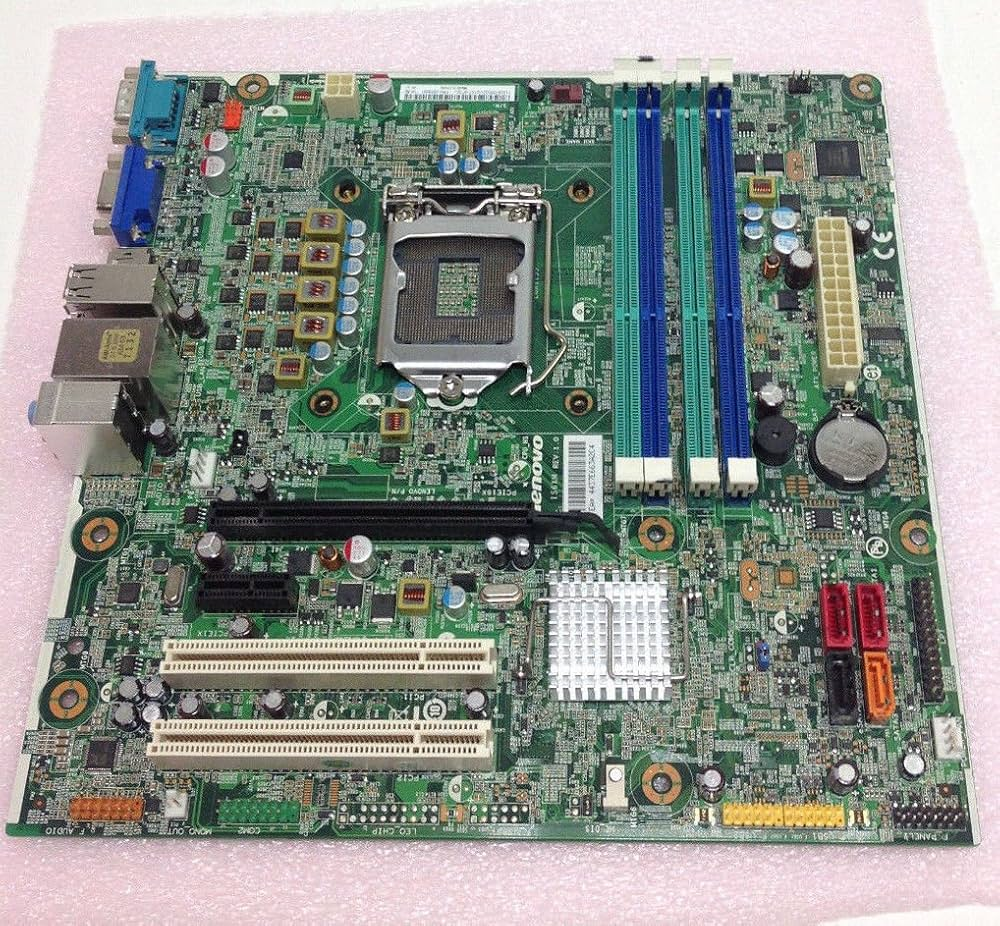
Lenovo ThinkCentre M91p Desktop Q67 Motherboard System
- RAM – DDR IV
- Maximum Capacity – 16 Gb
- Speed Of RAM – 2400 / 2800 Mhz
- CPU – i5-i7 (4th, 5th)
- CPU Socket – L.G.A – 1155
H110
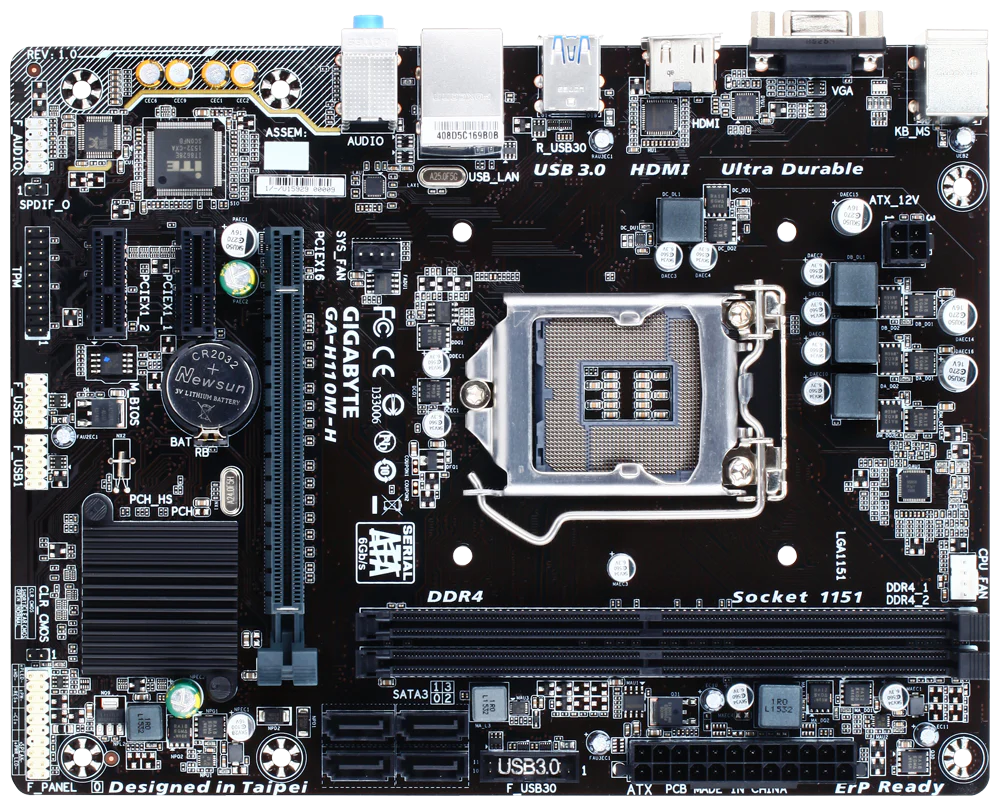
Supportable Processor – 6th,7th,8th & 9th Gen (i3, i5, i7)
RAM Types – DDR4 Slots
SSD – NVME/NFGG Slot
Warranty – 3 Years Warranty
H310
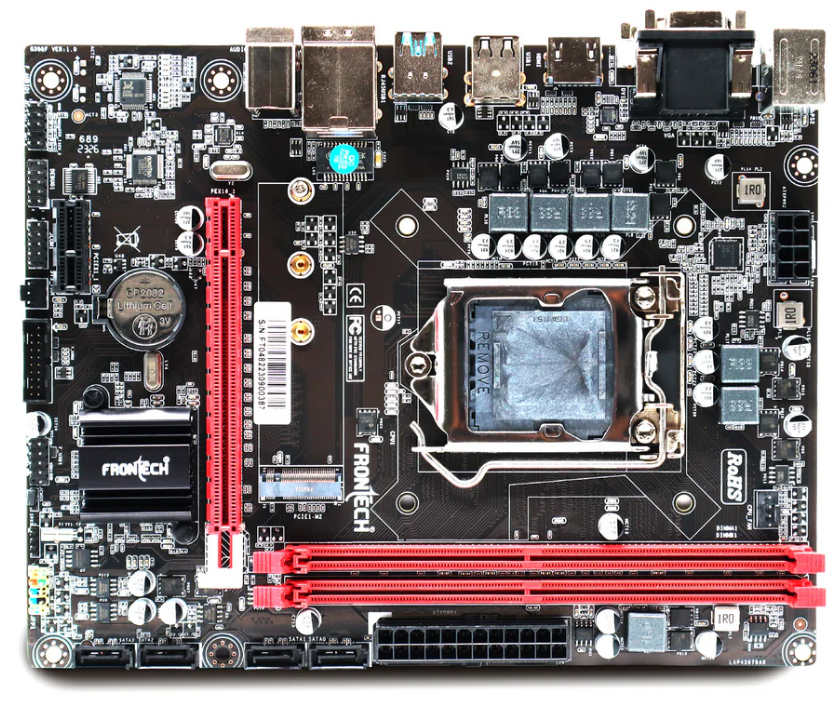
Consistent H-310 Motherboard (8th, 9th Gen) i3, i5, i7, DDR4 Slots for RAM, with NVME-M.2 Slot, Motherboard with Sound Card, SATA III, 3 Years Warranty
H510
Consistent H510 motherboard Intel के 10th और 11th generation Core processors को सपोर्ट करता है और इसमें DDR4 RAM slots, NVMe और M.2 dedicated slots, Wi-Fi connector, SATA III ports, और 3 साल की warranty मिलती है। यह एक entry-level Intel chipset है, जो basic features के लिए design किया गया है—जैसे कि दो RAM slots, limited I/O options, और कोई overclocking support नहीं।
वहीं अगर हम AMD motherboards की naming देखें, तो:
- A-series (जैसे A320) सबसे basic होते हैं—कोई overclocking नहीं, कम I/O और सिर्फ 2 DIMM slots।
- B-series (जैसे B450, B550) mid-range होते हैं—ज़्यादा features, RAM overclocking support, और 4 DIMM slots तक।
- H-series (जैसे H670) भी mid-range हैं लेकिन CPU overclocking नहीं होता।
- Z-series (जैसे Z690, Z790) high-end होते हैं—CPU और RAM दोनों का overclocking support, full I/O, और advanced features।
H610
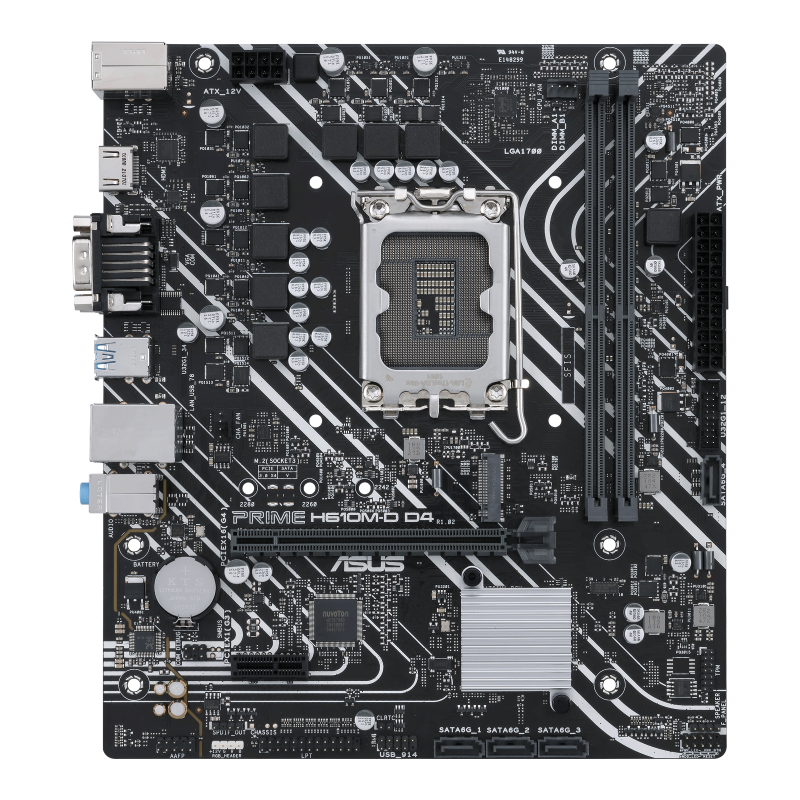
H610 DDR4 motherboard Intel के 12th generation processors को सपोर्ट करता है और इसमें LGA 1700 socket दिया गया है। यह motherboard DDR4 SDRAM को सपोर्ट करता है, जिसमें आप 3200/2666/2400 MHz की RAM लगा सकते हैं और maximum 64GB तक memory install कर सकते हैं।
इसके अंदर dedicated NVMe और M.2 slots होते हैं जिससे high-speed SSDs connect की जा सकती हैं। साथ ही इसमें Wi-Fi connector भी मौजूद है ताकि wireless connectivity आसानी से मिल सके। यह एक budget-friendly motherboard है जो basic से moderate-level tasks के लिए ideal है, और इसके साथ आपको 3 साल की warranty भी मिलती है।
B760
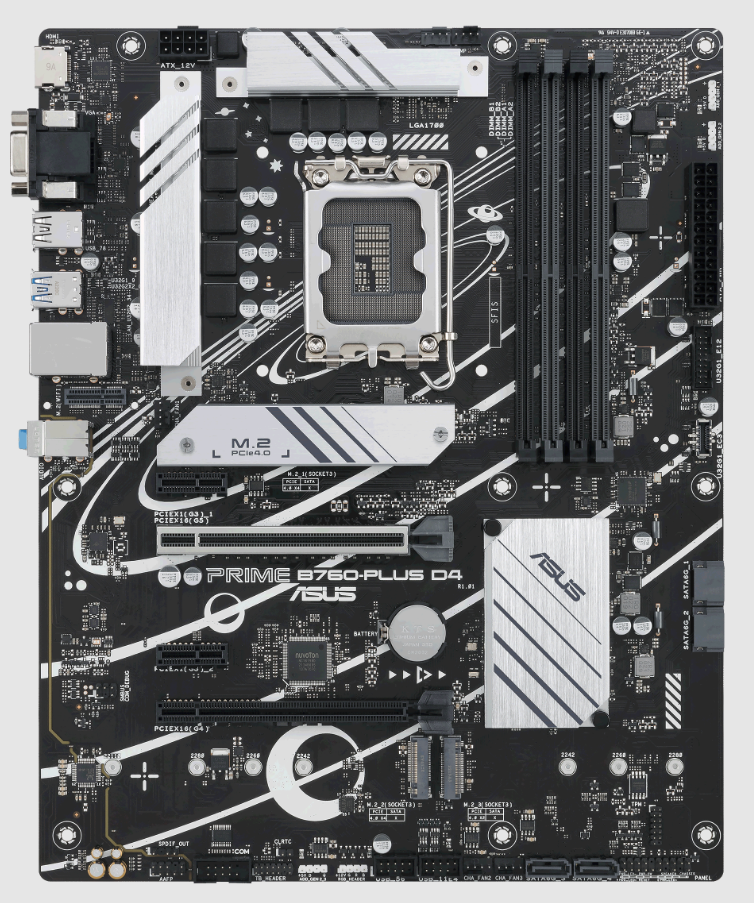
GIGABYTE B760M GAMING AC DDR4 एक Micro-ATX form factor वाला desktop motherboard है, जो Intel B760 chipset पर आधारित है और LGA 1700 socket के साथ आता है।
यह motherboard 12th और 13th generation Intel Core processors को सपोर्ट करता है, यानी आप इसमें Intel i3, i5, i7, या i9 (Alder Lake और Raptor Lake series) लगा सकते हैं।
इसमें DDR4 RAM support है, जो high-speed memory modules को handle कर सकता है। साथ ही इसमें Wi-Fi connectivity (AC standard) भी built-in है, जिससे आपको external Wi-Fi card लगाने की ज़रूरत नहीं पड़ती।
यह gaming और multitasking के लिए एक solid choice है, खासकर उन users के लिए जो compact Micro-ATX builds बनाना चाहते हैं।
Different Series of Motherboard
Motherboard series अलग-अलग levels की performance और features के लिए बनाए जाते हैं—चाहे वो Intel हो या AMD। अगर हम naming conventions की बात करें:
- A-series (जैसे A320) AMD के लिए होते हैं और ये entry-level होते हैं। इनमें सबसे कम features होते हैं, सिर्फ 2 DIMM slots होते हैं और कोई overclocking support नहीं होता।
- Hx10 series (जैसे H510, H610) Intel के bottom-tier motherboards होते हैं। इनमें limited I/O ports, basic RAM support और कोई CPU overclocking नहीं होता। ये budget builds के लिए सही होते हैं।
- Bx60 series (जैसे B460, B560, B660) Intel के mid-range boards होते हैं। इनमें ज़्यादा I/O options, 4 DIMM slots, और RAM overclocking का support होता है। ये casual gamers और multitaskers के लिए ideal हैं।
- Hx70 series (जैसे H670) भी mid-range होते हैं लेकिन ये Z-series जैसे features देते हैं—बस CPU overclocking नहीं होता। I/O और connectivity अच्छी होती है।
- Zx90 series (जैसे Z490, Z590, Z690, Z790) Intel के high-end motherboards होते हैं। इनमें CPU और RAM दोनों का overclocking support, full I/O options, और advanced features होते हैं। ये enthusiast-level users और gamers के लिए best होते हैं।
Google Search –
अगर आपको एक Computer बनाना है, तो सबसे पहले यह जाने की आपका काम क्या है, उदाहरण के लिए अगर आपको Video Editing के लिए Computer खरीदना है तो उसके लिए Adobe Premiere Pro Software का इस्तेमाल किया जाता है।
Premiere Pro Minimum and recommended system requirements for Windows
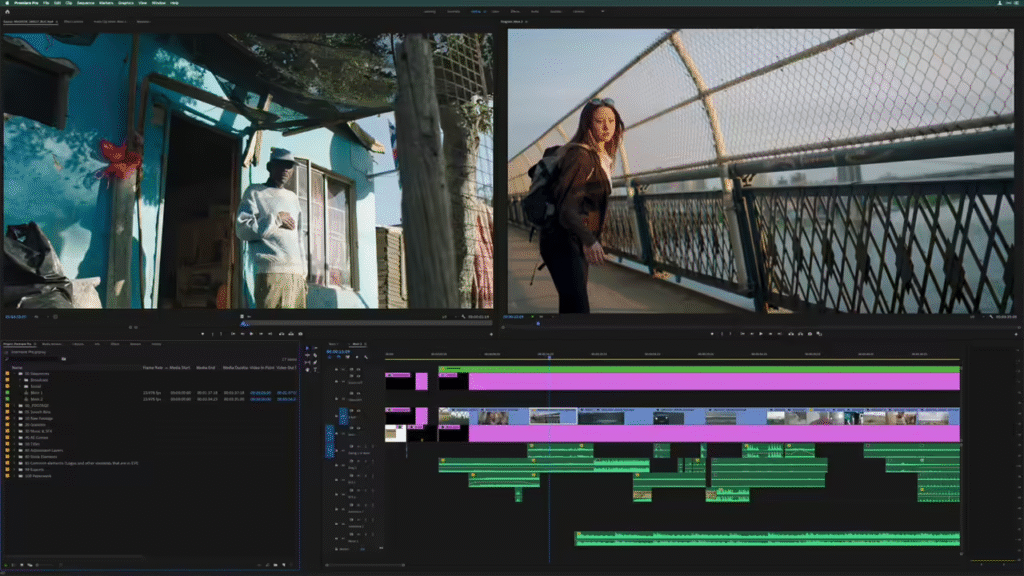
| Component | Minimum Requirement | Recommended Requirement |
| Processor | Intel 6th Gen या AMD Ryzen 1000 Series (AVX2 Support जरूरी) | Intel 11th Gen with Quick Sync या AMD Ryzen 3000 / Threadripper 3000 |
| Operating System | Windows 10 (64-bit) Version 22H2 या नया | Windows 10 Version 22H2 या Windows 11 |
| Memory (RAM) | 8 GB RAM | 16 GB for HD media, 32 GB या ज़्यादा for 4K और उससे ऊपर |
| GPU (Graphics) | 2 GB GPU memory | 8 GB GPU memory |
| Storage | 8 GB खाली जगह (installation के लिए), removable flash पर install नहीं होगा | Fast internal SSD for app और cache, high-speed drives for media |
| Display | 1920 × 1080 resolution | 1920 × 1080 या ज़्यादा, DisplayHDR 1000 for HDR workflows |
| Sound Card | ASIO compatible या Windows Driver Model | ASIO compatible या Windows Driver Model |
| Network Connection | 1 Gigabit Ethernet (HD workflows के लिए) | 1 Gigabit Ethernet (HD workflows), 10 Gigabit Ethernet for 4K workflows |
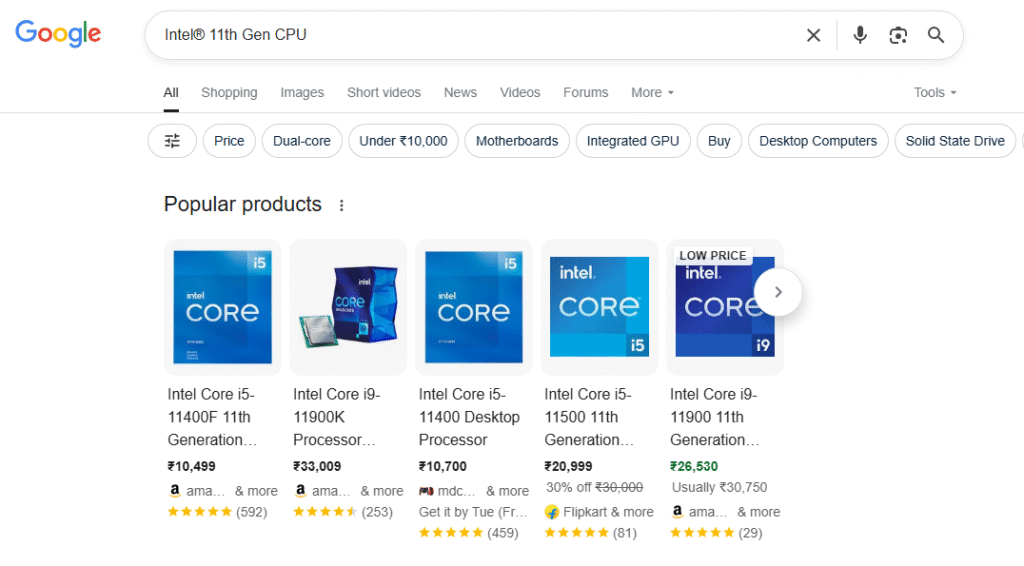
सबसे पहले आपको Requirement के अनुसार Processor का चुनाव करना है। उसके बाद उसमे Supportable Motherboard का चुनाव करना है। फिर आप उसमे Supportable Power Supply का चुनाव करें, एक अच्छा Gaming Cabinet का चुनाव करें। उसके बाद Storage के लिए SSD का चुनाव करें।
Motherboard Types –
| Category | Type Examples |
| Size/Form Factor | ATX, Micro-ATX, Mini-ITX, E-ATX |
| Brand/Platform | Intel, AMD |
| Purpose | Gaming, Server, Workstation, Embedded |
| Use in Devices | Desktop, Laptop, Industrial PC |
| Basis Of Expandability | Integrited & Non Integrated |
Motherboard Size –
| Form Factor | Size (Approx) | Use |
| ATX (Advanced Technology eXtended) | 12″ x 9.6″ | Desktop PC, Full-featured systems |
| Micro-ATX | 9.6″ x 9.6″ | Budget desktops, compact systems |
| Mini-ITX | 6.7″ x 6.7″ | Small PCs, HTPC (Home Theater PC) |
| E-ATX (Extended ATX) | 12″ x 13″ | High-end gaming, workstation |
| Nano-ITX | 4.7″ x 4.7″ | Embedded systems, smart devices |
| Pico-ITX | 3.9″ x 2.8″ | Industrial & embedded applications |
Laptop vs Desktop Motherboard –
| Feature | Laptop Motherboard | Desktop Motherboard |
| Size | Custom/small | Standard sizes |
| Upgrade | Limited | High |
| Replaceability | Difficult | Easy |
Notes:
- Motherboard जितना छोटा size होगा, उतनी कम expandability होगी।
- Mini-ITX और छोटे boards power-efficient होते हैं।
Intel vs AMD Processor Generations Comparison Table (Desktop) :
| Generation | Intel Processor Series | AMD Processor Series | Launch Year (Approx) |
| 1st Gen | Core i3/i5/i7 3xx (LGA 1156) | Phenom II / Athlon II | 2009–2010 |
| 2nd Gen | Core i3/i5/i7 2xxx (Sandy Bridge) | FX-4100/6100/8150 (AM3+) | 2011 |
| 3rd Gen | Core i3/i5/i7 3xxx (Ivy Bridge) | FX-4300/6300/8350 | 2012 |
| 4th Gen | Core i3/i5/i7 4xxx (Haswell) | A-Series APU (A8/A10) | 2013–14 |
| 5th Gen | Core i3/i5/i7 5xxx (Broadwell) | Godavari/Kaveri APU | 2015 |
| 6th Gen | Core i3/i5/i7 6xxx (Skylake) | Ryzen 1000 Series (AM4) | 2017 |
| 7th Gen | Core i3/i5/i7 7xxx (Kaby Lake) | Ryzen 2000 (Zen+) | 2018 |
| 8th Gen | Core i3/i5/i7 8xxx (Coffee Lake) | Ryzen 3000 (Zen 2) | 2019 |
| 9th Gen | Core i5/i7/i9 9xxx | Ryzen 3000 XT Series | 2020 |
| 10th Gen | i3/i5/i7/i9 10xxx (Comet Lake) | Ryzen 5000 Series (Zen 3) | 2020 |
| 11th Gen | Core i5/i7/i9 11xxx (Rocket Lake) | Ryzen 5000 XT | 2021 |
| 12th Gen | Alder Lake (Hybrid core) | Ryzen 7000 (AM5, Zen 4) | 2022 |
| 13th Gen | Raptor Lake | Ryzen 7000 X3D series | 2023 |
| 14th Gen | Raptor Lake Refresh (Latest) | Ryzen 8000 Series (Zen 5) | 2024–25 |
Key Differences :
Intel:
- “i3, i5, i7, i9” naming convention
- Uses LGA socket (pins in motherboard)
- Hybrid core (P+E cores) from 12th gen onward
- Integrated graphics mostly present
AMD:
- Ryzen naming: 3, 5, 7, 9
- Uses PGA (AM4) then LGA (AM5)
- Overclocking unlocked in almost all CPUs
- X, XT, X3D suffixes denote performance boost
Performance Match Table:
| Intel CPU | AMD Equivalent |
| i3 12100 | Ryzen 3 4100 / 5300G |
| i5 12400F | Ryzen 5 5500 / 5600 |
| i5 13600K | Ryzen 5 7600X |
| i7 13700K | Ryzen 7 7700X |
| i9 13900K | Ryzen 9 7900X / 7950X3D |
Motherboard Components
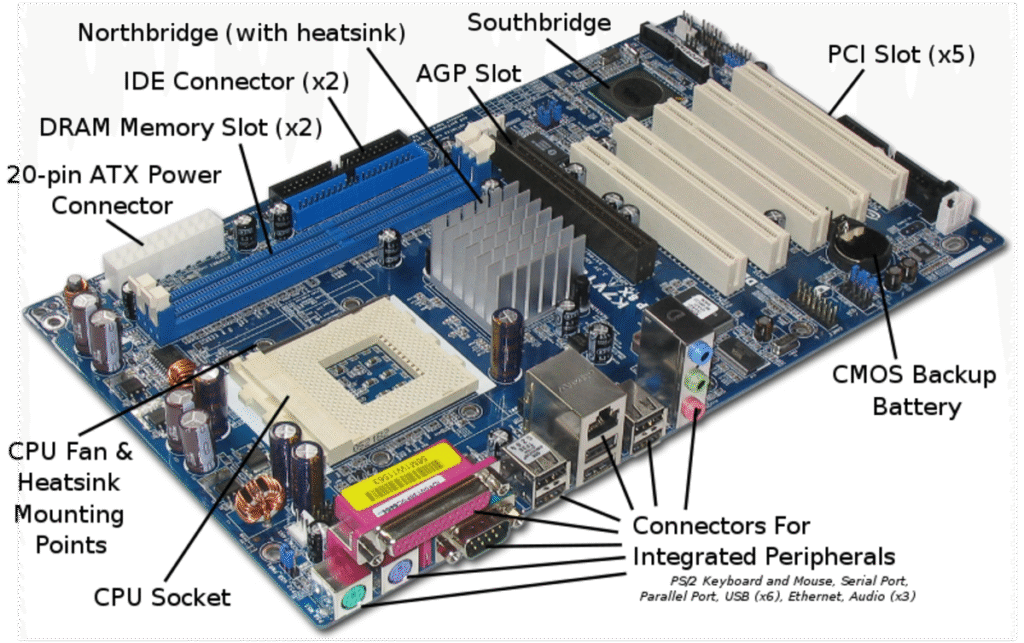
| Component Name | Hindi (हिंदी में) | Function / कार्य |
| CPU Socket | सीपीयू सॉकेट | प्रोसेसर को मदरबोर्ड से जोड़ता है। |
| Chipset | चिपसेट | सभी हार्डवेयर कंपोनेंट्स के बीच डेटा का नियंत्रण करता है। |
| RAM Slots (DIMM Slots) | रैम स्लॉट | RAM (Memory) लगाने के लिए स्लॉट। |
| Power Connectors | पावर कनेक्टर | मदरबोर्ड और CPU को बिजली सप्लाई करता है। |
| PCI/PCIe Slots | पीसीआई / पीसीआई-ई स्लॉट | Graphic Card, LAN Card, Sound Card जैसे कार्ड्स लगाने के लिए। |
| SATA Ports | साटा पोर्ट | HDD/SSD जैसे स्टोरेज डिवाइस को जोड़ने के लिए। |
| M.2/NVMe Slot | एम.2 / एनवीएमई स्लॉट | हाई-स्पीड SSD लगाने के लिए। |
| BIOS/UEFI Chip | बायोस / यूईएफआई चिप | सिस्टम के बूट होने में मदद करता है। |
| CMOS Battery | सीएमओएस बैटरी | BIOS की सेटिंग्स और समय/दिनांक बनाए रखता है। |
| USB Headers / Ports | यूएसबी हेडर / पोर्ट | USB डिवाइस को कनेक्ट करने के लिए। |
| Audio Chip & Ports | ऑडियो चिप और पोर्ट | साउंड इनपुट और आउटपुट के लिए। |
| LAN Port & Chipset | लैन पोर्ट और चिप | इंटरनेट और नेटवर्क कनेक्शन के लिए। |
| VRM (Voltage Regulator) | वोल्टेज रेगुलेटर मॉड्यूल (VRM) | CPU को सही वोल्टेज देता है। |
| Cooling Fan Headers | कूलिंग फैन हेडर | CPU और अन्य फैन को कनेक्ट करने के लिए। |
| Front Panel Header | फ्रंट पैनल हेडर | कैबिनेट के बटन जैसे पावर, रीसेट, LED कनेक्ट करने के लिए। |
Main Components of a Motherboard
A. CPU (Processor) Socket
- Holds the CPU (Central Processing Unit)
- Types: LGA, PGA, BGA
- Example: Intel LGA1200, AMD AM4
- Function: Processes instructions, brain of the computer
B. Chipset
- Two main chips on older boards (Northbridge + Southbridge)
- Modern boards: Single Platform Controller Hub (PCH)
- Function:
- Controls data flow between CPU, RAM, GPU, Storage
- Manages I/O ports
C. RAM (Memory) Slots
- DIMM slots in desktop, SO-DIMM in laptops
- Function: Temporary storage for programs and data
- Common Types: DDR3, DDR4, DDR5
D. Storage Connectors
- SATA Ports → For HDD, SSD, DVD
- M.2 Slot / NVMe Connector → For high-speed SSDs
E. Expansion Slots
- PCI Express (PCIe) slots → GPU, Wi-Fi card, capture cards
- Legacy slots: PCI, AGP (old motherboards)
F. BIOS / UEFI Chip
- Small EEPROM chip
- Stores firmware that initializes hardware on startup (POST)
- Can be reflashed if corrupted
G. CMOS Battery
- 3V coin cell battery (CR2032)
- Maintains BIOS settings and clock when PC is off
H. Power Connectors
- 24-pin ATX connector → Main power
- 4/8-pin CPU connector → Processor power
- PCIe 6/8-pin (optional) → For high-power GPUs
I. Voltage Regulators (VRM)
- MOSFETs + Chokes + Capacitors
- Converts 12V from PSU → Low voltages (1–1.5V) for CPU/GPU/RAM
- Critical for stable operation
J. Input/Output (I/O) Ports
- Located on rear I/O panel
- USB, HDMI, Ethernet, Audio, PS/2, DisplayPort
K. Audio and LAN Chips
- Audio Codec (Realtek, Conexant) → Converts digital to analog sound
- LAN Chip → Handles network communication
L. Cooling Components
- Heatsinks → On VRM, chipset, and sometimes M.2 slots
- Fan headers → Power for cooling fans
2. Tiny Components (Important for Repair Technicians)
| Component | Function |
| Resistors | Control current flow |
| Capacitors | Filter and stabilize voltage |
| Inductors/Chokes | Smooth current for CPU/GPU |
| MOSFETs | Switch and regulate voltage for CPU/RAM |
| Diodes | Protect from reverse polarity or surges |
| Crystal Oscillators | Generate clock signals for CPU, RAM, chipset |
| ICs (Chips) | Handle USB, Audio, LAN, Sensors |
Quick Technician Tip
- Desktop motherboard: Easy to spot and replace components
- Laptop motherboard: Components are smaller and densely packed, requiring microscope and hot air station for repair