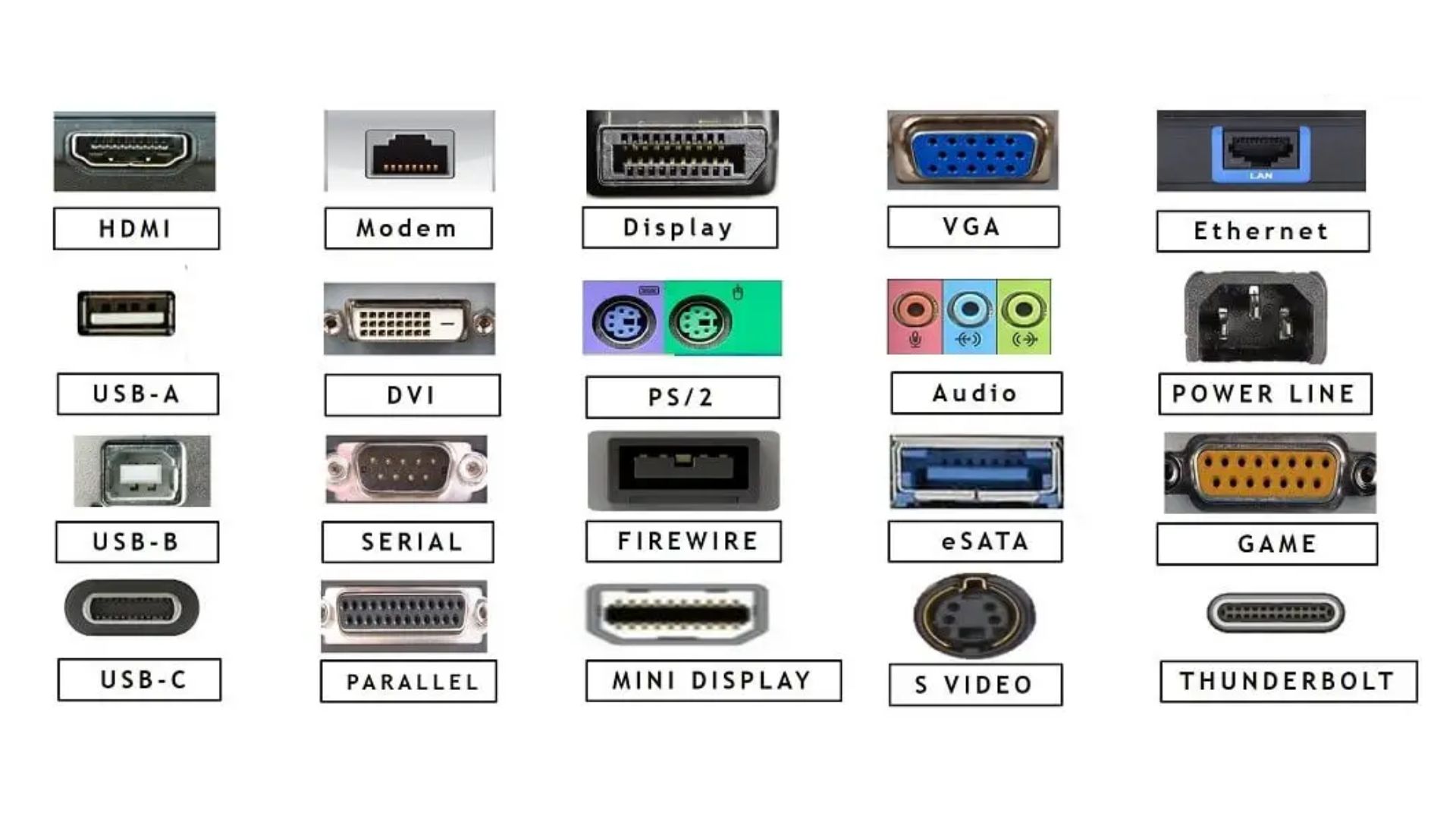
Ps/2 (Personal System /2) –
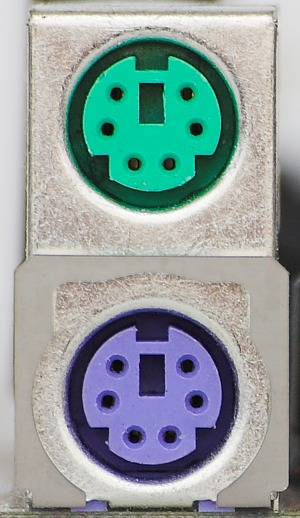
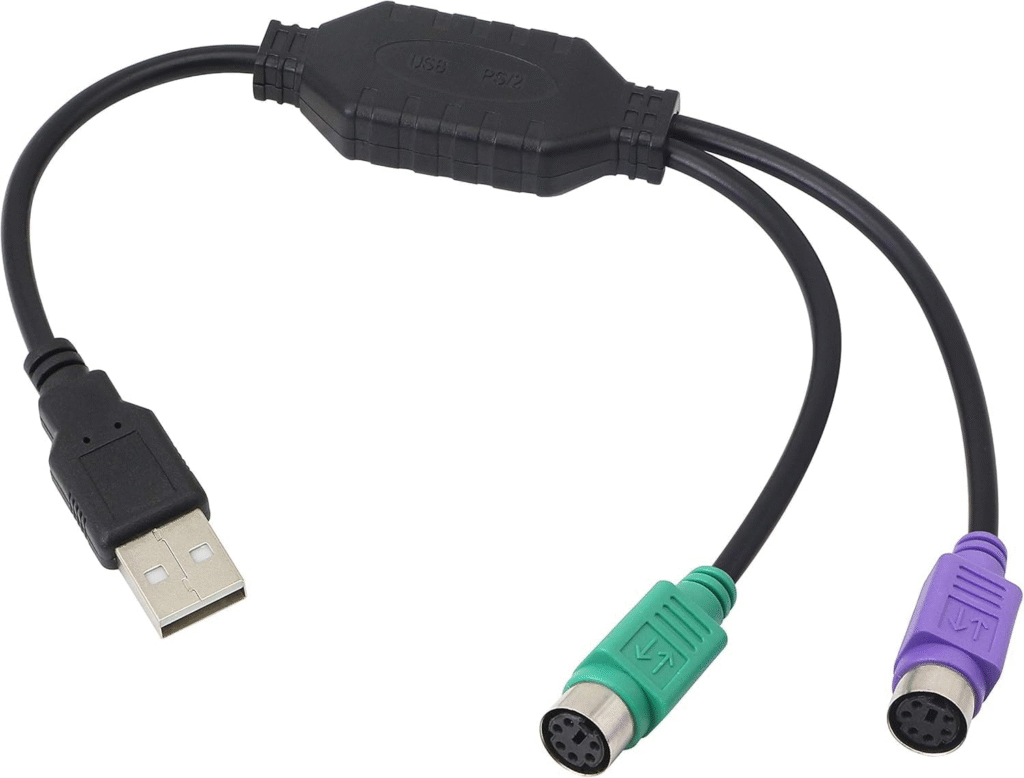
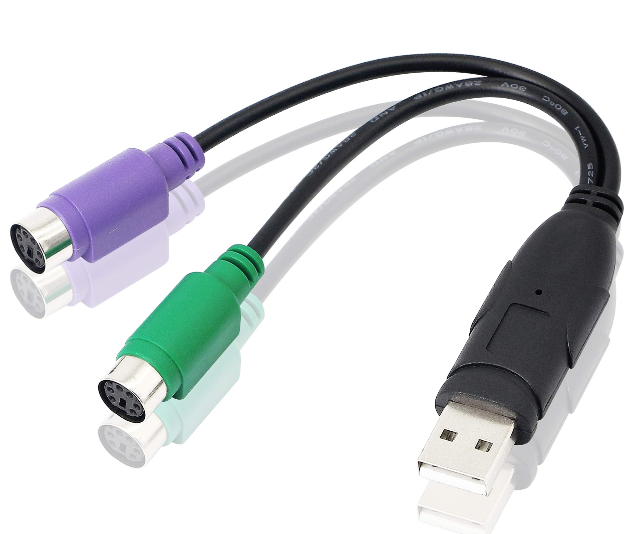
इस Port का Use Desktop के Motherboard में किया जाता है। यह दो Pin के होते हैं। यह दो Colour – Purple And Greeen Colour में पाए जाते हैं। Purple Colour वाला Part Keyboard के लिए Use किया जाता है। और Green Colour वाला Port Mouse के लिए Use किया जाता है। इस Port के Slow होने की वजह से ही इसे USB द्वारा Replace किया जा रहा है।
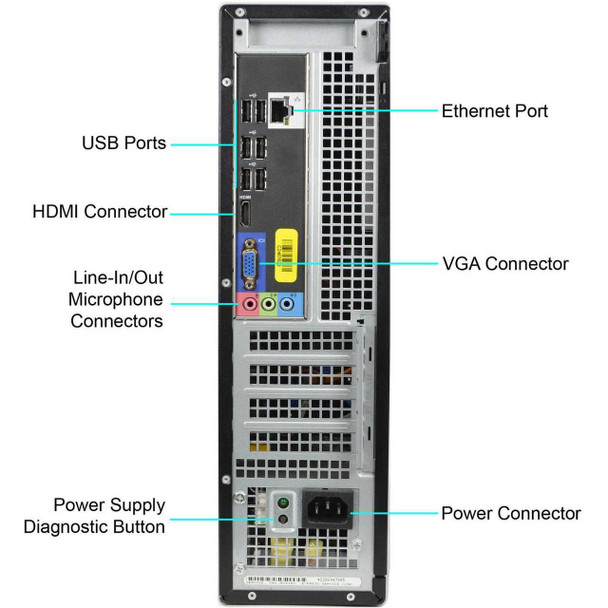
USB Port (Universal Serial Bus) –
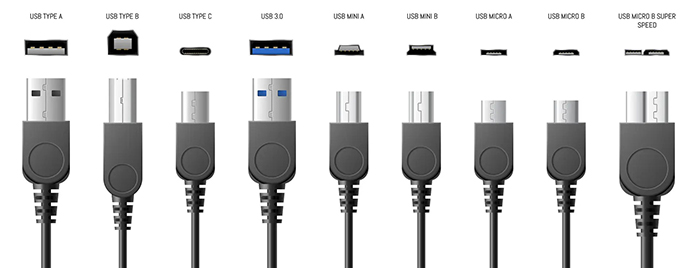
USB Port का Use Computer, Laptop, Tablet, Smart T.V. Music System Etc. में किया जाता है। इस Port से हम किसी भी Hardware जैसे Mobile, Pendrive, Pritner, Cd Drive Etc. को आसानी से Connect कर सकते हैं।
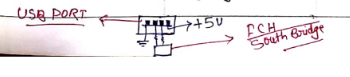
इस Port में 4 Pin पाए जाते हैं। जिसमे किनारे वाले 2 Pin Ground होती है और बिच वाले 2 Pin Drectly South Bridge से Connect होता है। जिसमे से एक Pin Data Sending तथा दूसरी Pin Data Receiving के लिए होती है।
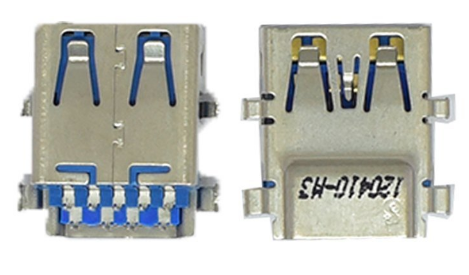
आज कल नए Motherboard में 3.0 Version के USB Port मिल रहे हैं जिसमे 9 Pin होते है।
Note – USB Port को उसके Version के According अलग – अलग Category में बाँटा गया है।
| Version | Maximum Transfer Speed |
|---|---|
| USB 1.0 | 1.5 Mbps |
| USB 1.1 | 1.2 Mbps |
| USB 2.0 | 480 Mbps |
| USB 3.0 | 5 Gbps |
| USB 3.1 | 10 Gbps |
Lan Port (Local User Network) –
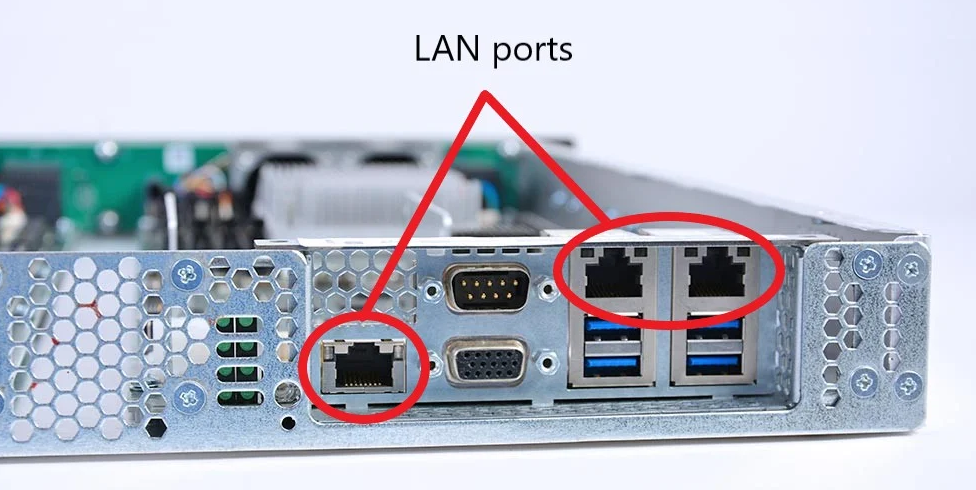
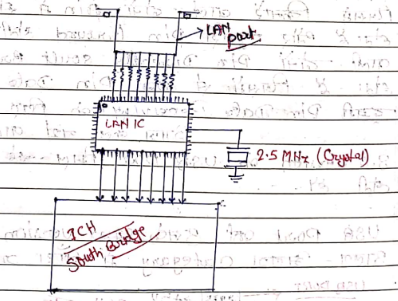
Lan Port का Use Internet तथा Networking के लिए किया जाता है। में 8 Pin होती है। इसके ऊपरी भाग में लो Led लगी होती है, पहला Yellow और दूसरा Green. एक Led (Yellow) Connection मिलने पर लगातर जलती है तथा दूसरी Led (Green) Data Transfer होने पर Blink करते रहती हैं।
इस Port का Connection Motherboard में लगे Lan Ic से होता है और Lan Ic का Connection Ich से (South Bridge) के साथ होता है। Lan Port का Use Motherboard के अलावा Router, Hub, Swtich, Smart T.V. Etc. Devices में किया जाता है।
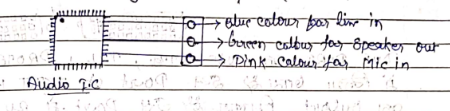
Audio Port – Dekstop के Motherboard में Audio Port – 3 Pin का लगा होता है। जिसमे Blue Colour वाला Pin – Line In के लिए होता है, Green Colour वाला Pin Speaker Out के लिए होता है, तथा Pink Colour वाला Pin – Mic In के लिए होता है।
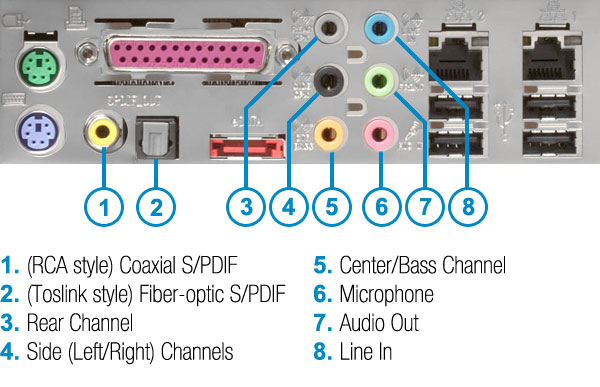
इन तीनो Pin का Connection Sound / Audio Ic से होती है। Laptop में यह Port – 2 Pin या Single Pin में मिल सकते हैं।
Serial Port –
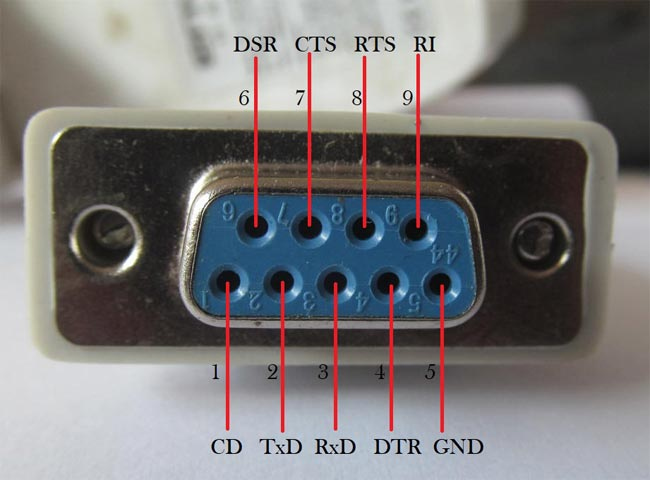
Desktop Motherboard में Serial Port – 9 Pin का बना होता है। इस Port के द्वारा Internet Connection, Serial Mouse ततः Pos Printer को Connect करने के लिए Use किया जाता था। यह Port पुराने वाले Motherboard में आते थे। आजकल इस Port को USB Port के द्वारा Replaced किया जा रहा है।

Printer Port / Parallel Port –
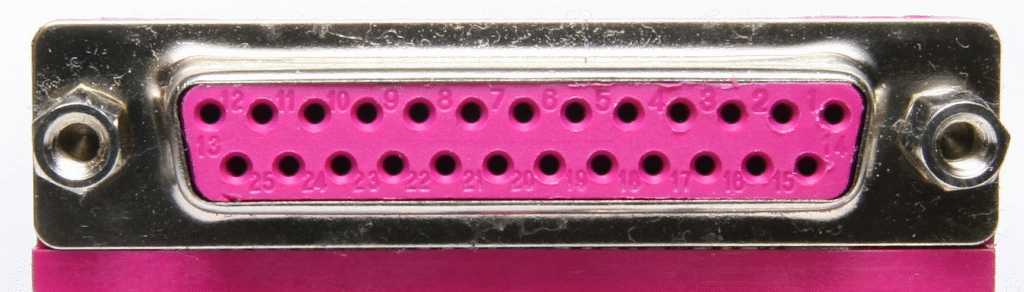
Desktop के Motherboard में Parallel Port – 25 Pin का बना होता है। इस Port के द्वारा पुराने वाले Dot Matrix Printer को Connect किया जाता था। इस Port को Slow होने के कारन इसे U.S.B. Port के द्वारा Repalced किया जा रहा है।
Vga (Video Graphic Adapter) –
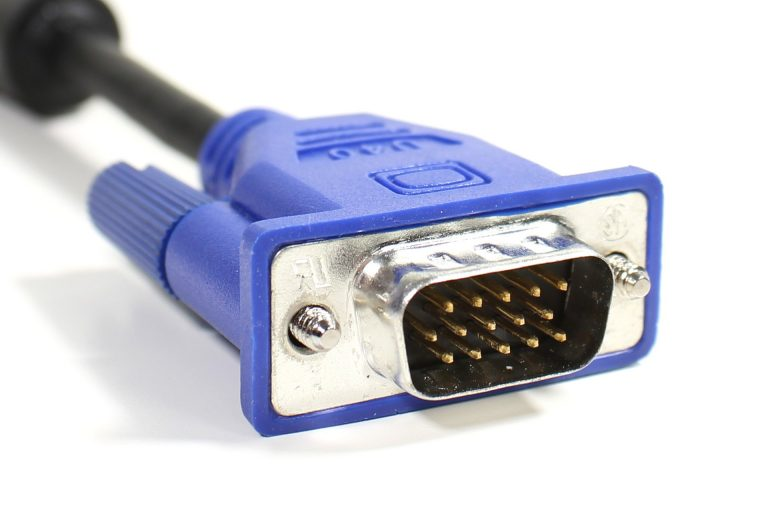
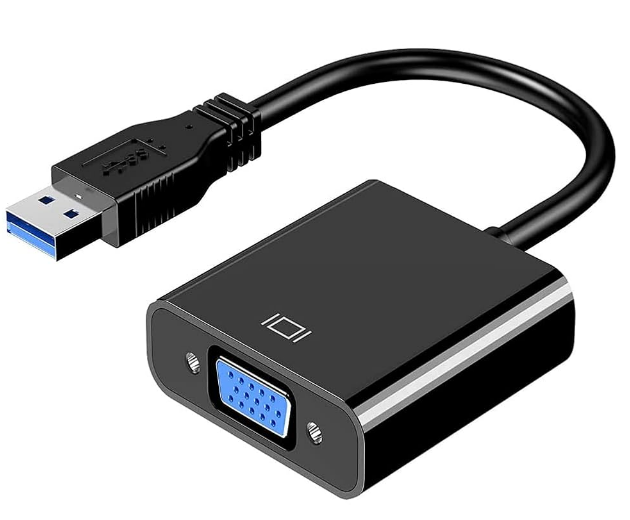
Desktop के Motherboard में Vga Port – 15 Pin की बनी होती है। इस Port के द्वारा Vga Cable की मदद से External Monitor को Connect करके Display प्राप्त किया जाता है।
Dvi (Digital Video Interface) Port –
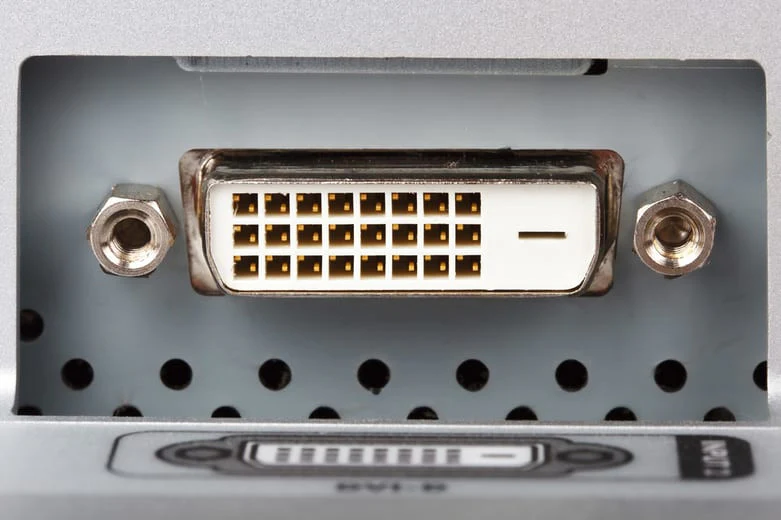
D.V.I. Port का Use Motherboard, Tv, Projector, में किया जाता है। इस Port के द्वारा Hd Display का Output मिलता है। इस Port में 24 Pin होती है तथा एक 1 Pin, Nc (Not Connected) होता है।
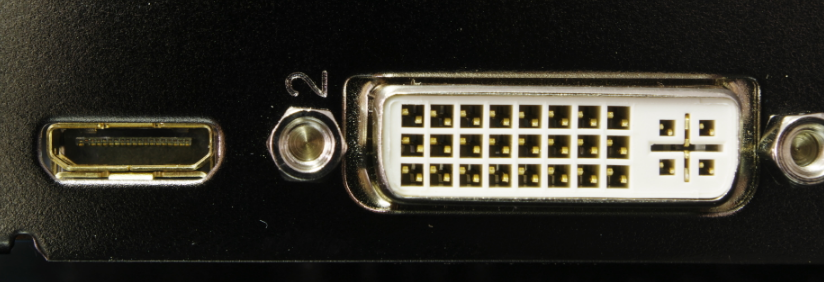
इस Port में कुछ खामियां होने की वजह से इसे ज्यादा समय तक Use नहीं किया गया। इसके Pin का Connection, North Bridge (Gmch) से होती है।

Hdmi (High Definition Multimedia Interface) –
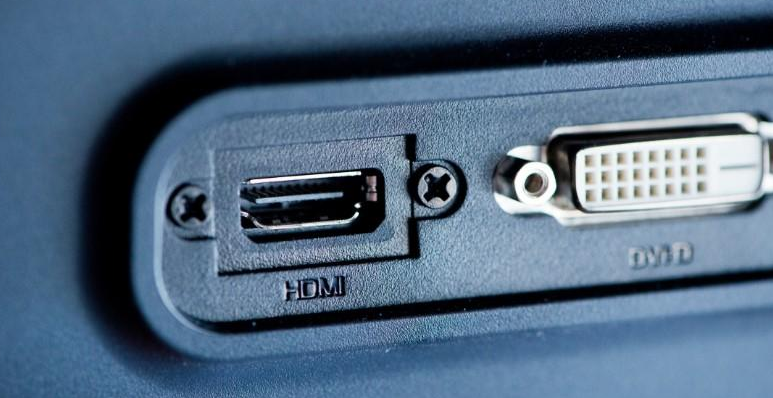
H.D.M.I. Port सबसे Latest Display Port है। इसकी बनावट Display में होती है। इसके Pin की संख्या 19 होती है। हम इस Port के द्वारा Digital Video के साथ – साथ Digital Audio का भी Output ले सकते हैं। इस Port का Use, Computer, Laptop, Tv, Projector तथा Home Theater में भी किया जाता है।
USB Port –
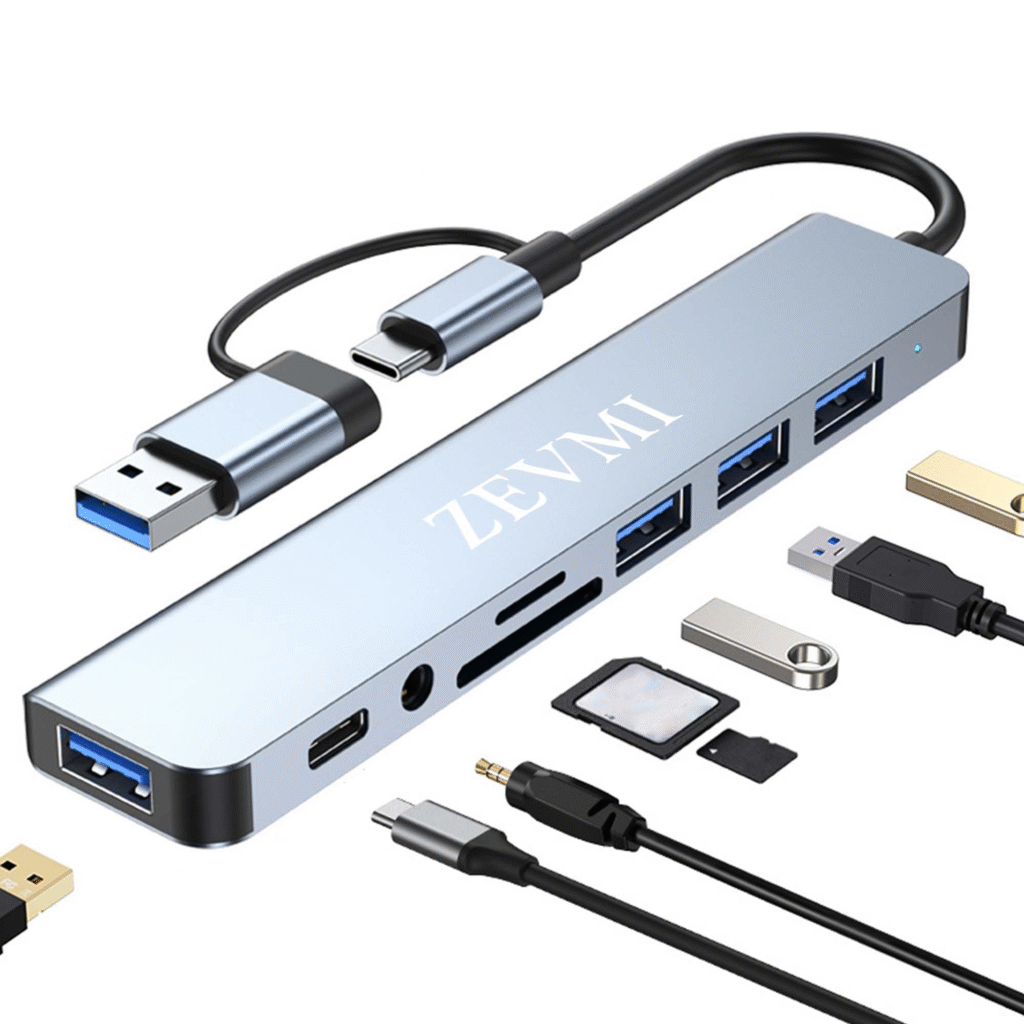
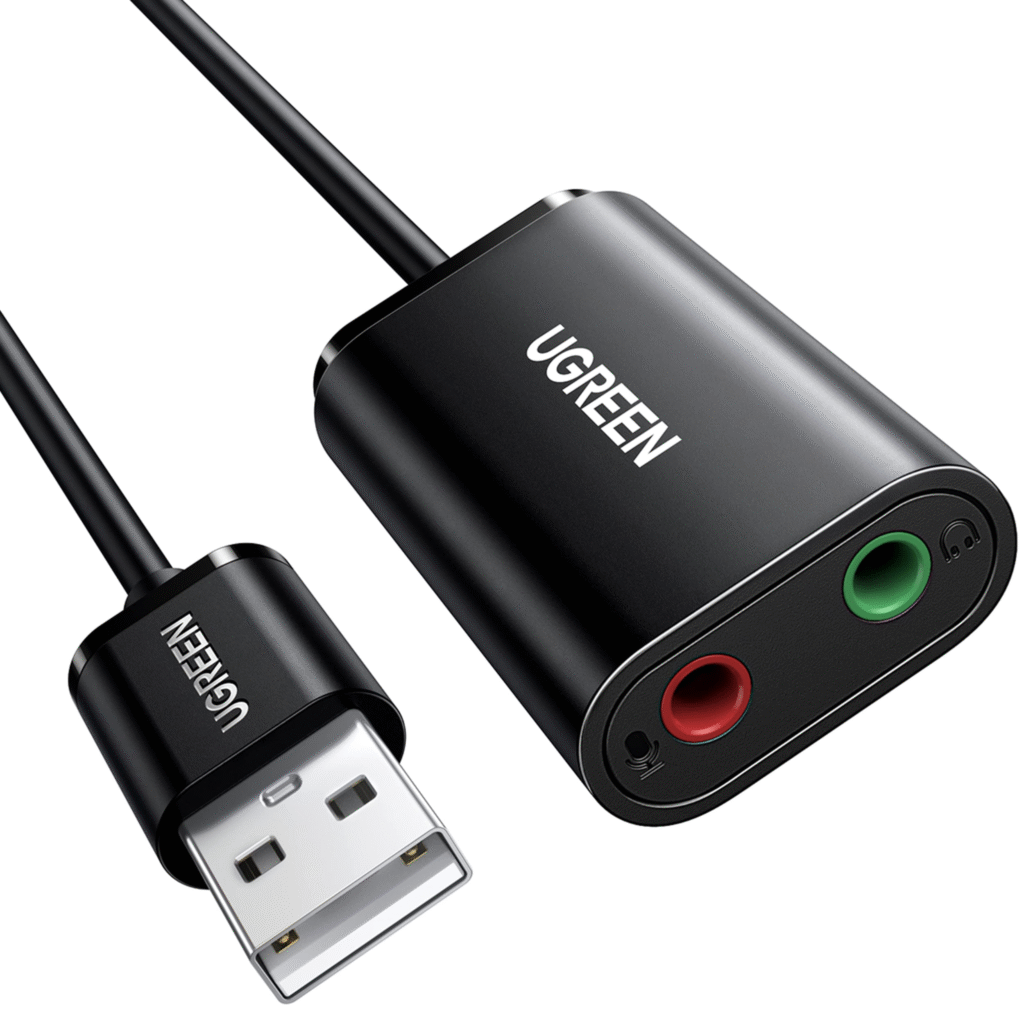
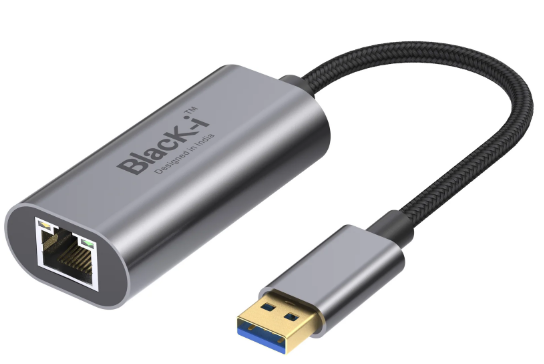
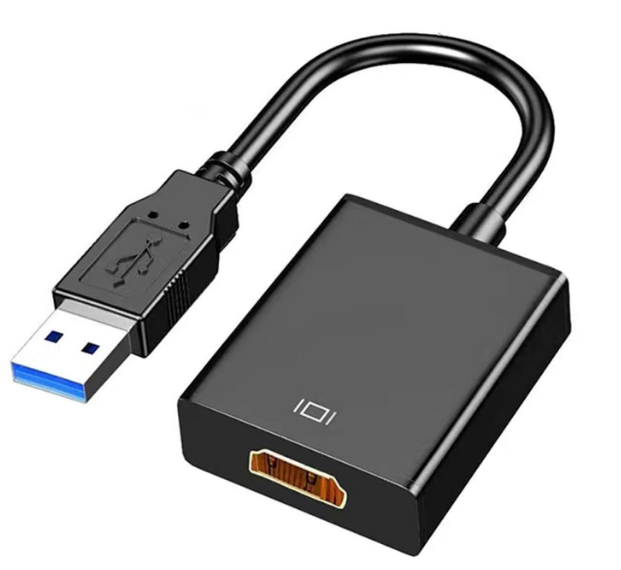
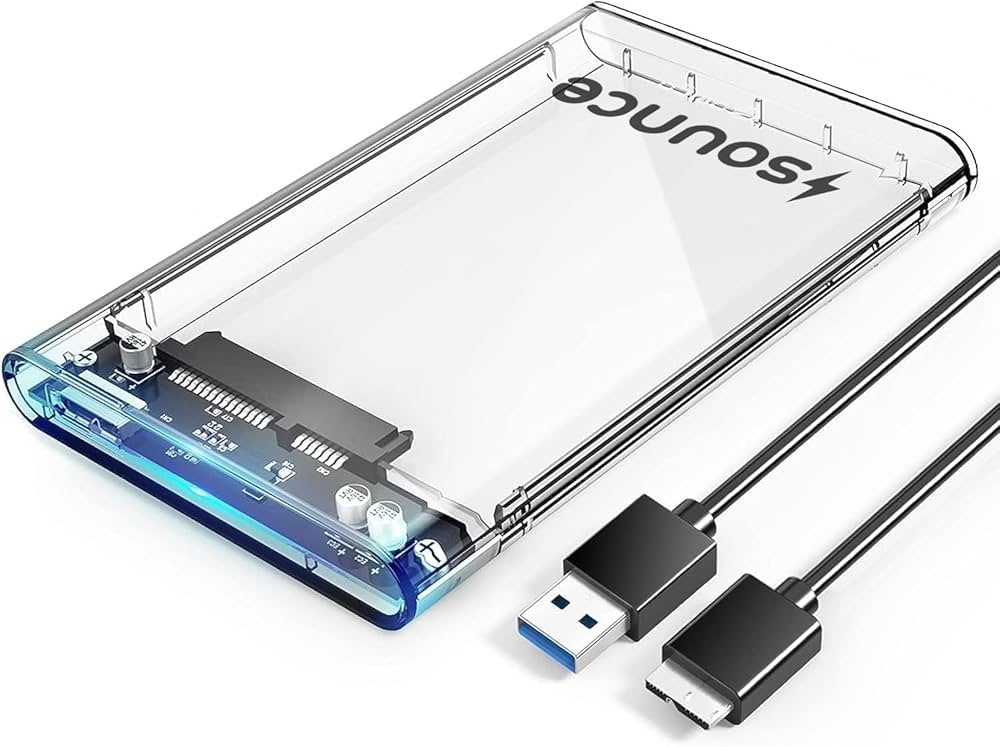
Universal Serial Bus यानी USB यह Computer Motherboard में सभी चीज़ो के लिए इस्तेमाल किया जा सकता है, जैसे की Audio को देने के लिए, Display को देने के लिए या फिर Internet को देने के लिए। मुख्य तौर पर इसका इस्तेमाल External Keyboard, Mouse, Pendrive इत्यादि के लिए किया जाता है। लेकिन USB To Audio, USB To Lan, USB To VGA इत्यादि Tools से इस Port का इस्तेमाल सभी तरह के कार्य के लिए किया जा सकता है। निचे कुछ USB Convertor Tools के नाम दिए गए है।
USB To Audio
USB To LAN
USB To HDMI
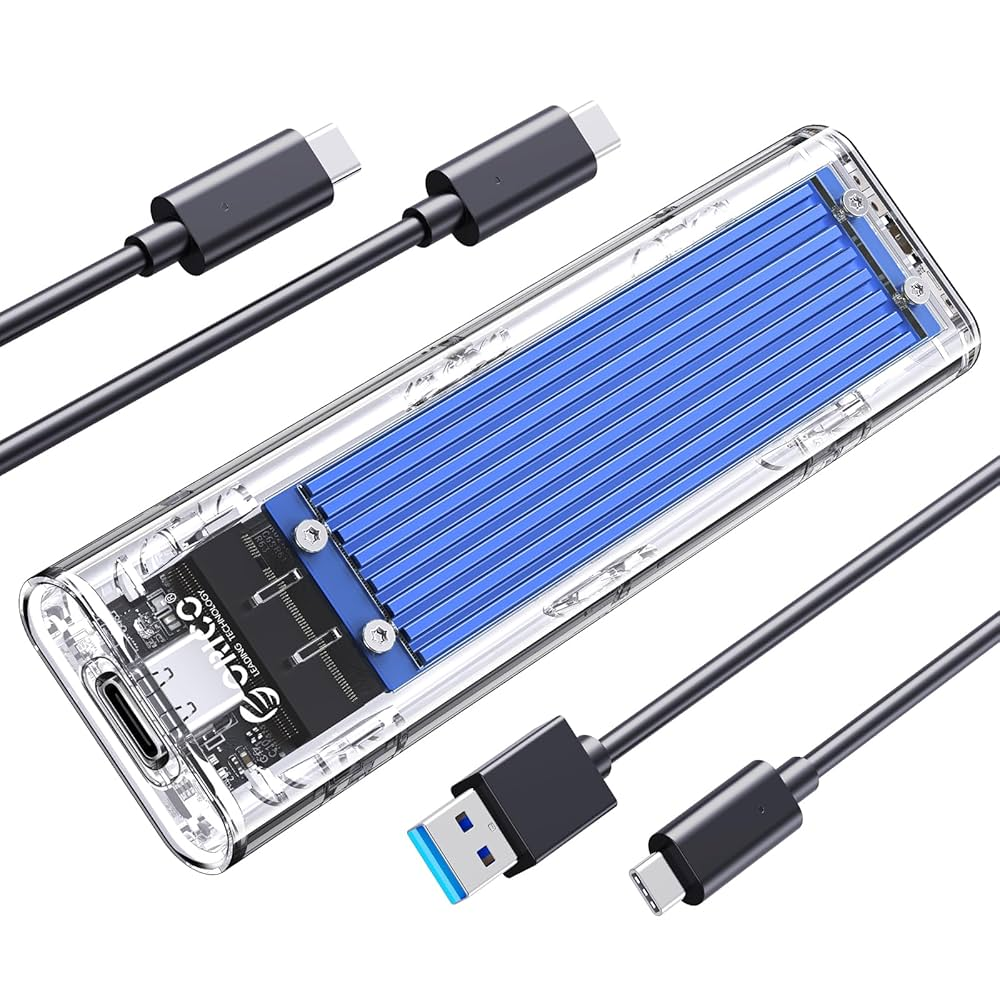
USB HDD/SSD Case
USB To M.2/NVME
USB To PS2
USB To VGA
Type C Port
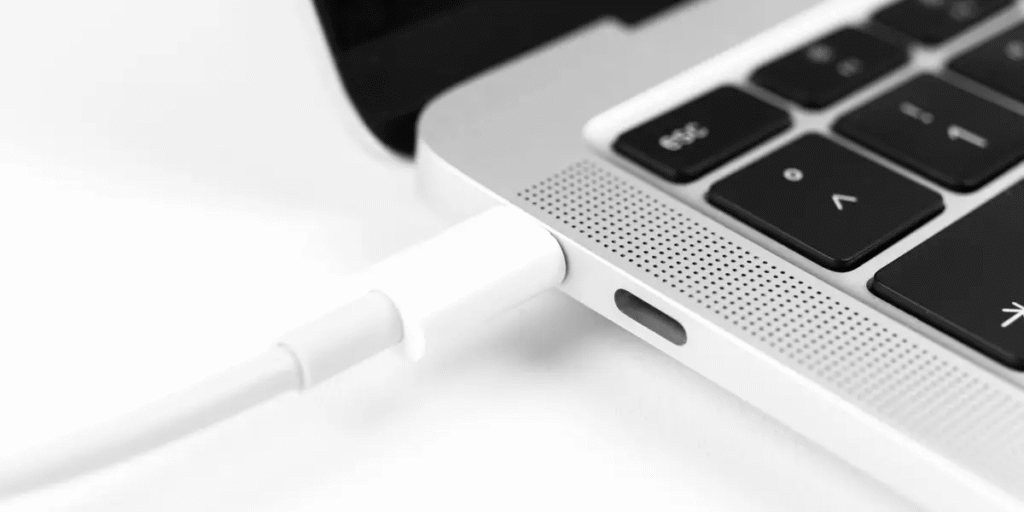
वैसे तो Laptop Motherboard में और भी कई Ports होते है, पर आज कल Market में Type C Port Concept तेजी से Growth कर रहा है जिससे User Data Transfer भी कर सक ता है और Laptop को Charging भी कर सकता है। यह आजकल के Latest Laptop में आपको देखने को मिल सकता है।
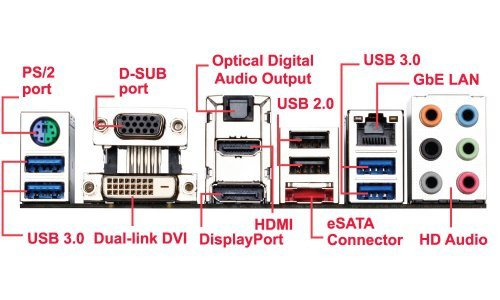
हालांकि इसके अलावा और भी कुछ Laptop के Ports होते है जिनके बारे में आपको जानकारी Image के माध्यम से दी गयी है।